> For the complete documentation index, see [llms.txt](https://docs.docbits.com/llms.txt). Markdown versions of documentation pages are available by appending `.md` to page URLs; this page is available as [Markdown](https://docs.docbits.com/administration-and-setup/settings/global-settings/document-types/model-training/testing-the-model.md).
# Testing the model
## Steps to run classification tests to evaluate the accuracy and operational readiness of the model
To test the trained model and evaluate its accuracy and operational readiness, you can follow the steps below:
**Preparing the test data:**
* Collect a representative sample of test data covering different types of documents and scenarios that the model will handle in the field. Ensure that the test data is of high quality and correctly labeled.
**Running the classification tests:**
* Run the classification tests on the prepared test data.
* Feed the test data into the model and let the model make predictions for classifying the documents.
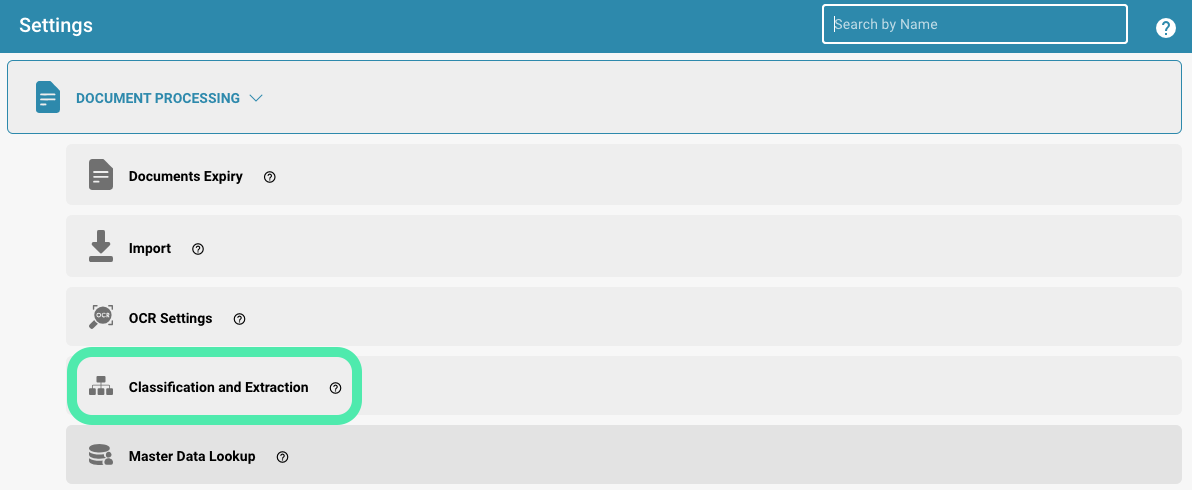
Setting
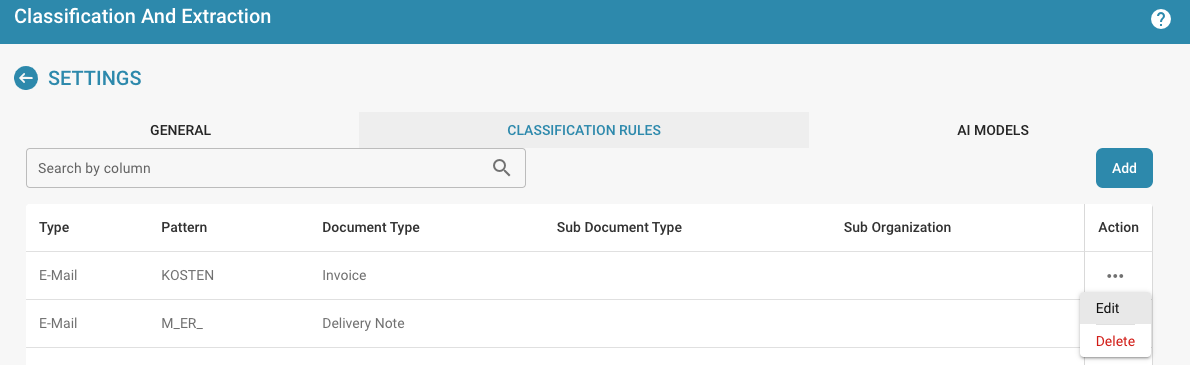
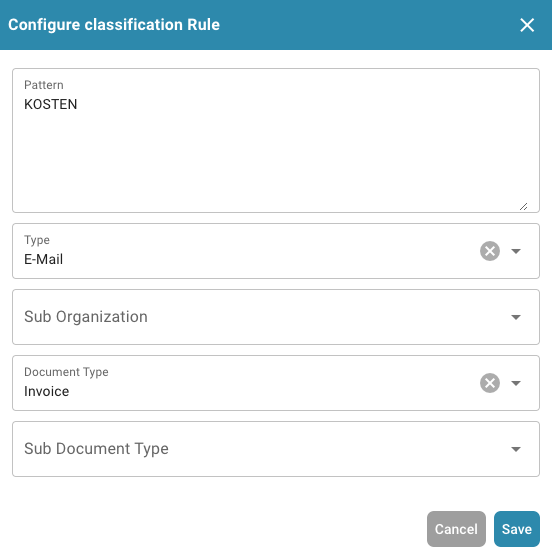
* Add a new one or edit an existing classification rule.
Settings: Classification and Extraction
Configure classification Rule
**Evaluating the model accuracy:**
* Compare the model's predictions with the actual classifications of the test data. Calculate metrics such as accuracy, precision, recall, and F1 score to evaluate the model's performance. These metrics provide insight into how well the model classified the documents and how reliable it is.
**Analyze errors:**
* Examine the errors the model made when classifying the test data and analyze their causes. Identify patterns or trends in the errors and, if necessary, make adjustments to the model to improve its performance.
**Optimize the model**:
* Based on the results of the classification tests and error analysis, you can optimize the model by adding training data, adjusting training parameters, or changing the model architecture. Repeat the testing process to check if the optimizations improved the model's performance.
**Document the results:**
* Document the results of the classification tests and any adjustments or optimizations made to the model. This will help you track the model's progress over time and ensure that it is constantly improving.
By regularly running classification tests and evaluating the performance of your model, you can ensure that it is suitable for use in production and delivers accurate results.
---
# Agent Instructions
This documentation is published with GitBook. GitBook is the documentation platform designed so that both humans and AI agents can read, navigate, and reason over technical content effectively. Learn more at gitbook.com.
## Querying This Documentation
If you need additional information that is not directly available in this page, you can query the documentation dynamically by asking a question.
Perform an HTTP GET request on the current page URL with the `ask` query parameter, and the optional `goal` query parameter:
```
GET https://docs.docbits.com/administration-and-setup/settings/global-settings/document-types/model-training/testing-the-model.md?ask=&goal=
```
`ask` is the immediate question: it should be specific, self-contained, and written in natural language.
`goal` is optional and describes the broader end goal you are ultimately trying to accomplish on behalf of the user. GitBook uses it to tailor the answer towards what is most useful for that goal.
The response will contain a direct answer to the question and relevant excerpts and sources from the documentation.
Use this mechanism when the answer is not explicitly present in the current page, you need clarification or additional context, or you want to retrieve related documentation sections.