> For the complete documentation index, see [llms.txt](https://docs.docbits.com/llms.txt). Markdown versions of documentation pages are available by appending `.md` to page URLs; this page is available as [Markdown](https://docs.docbits.com/overview-and-basics/architecture.md).
# Architecture
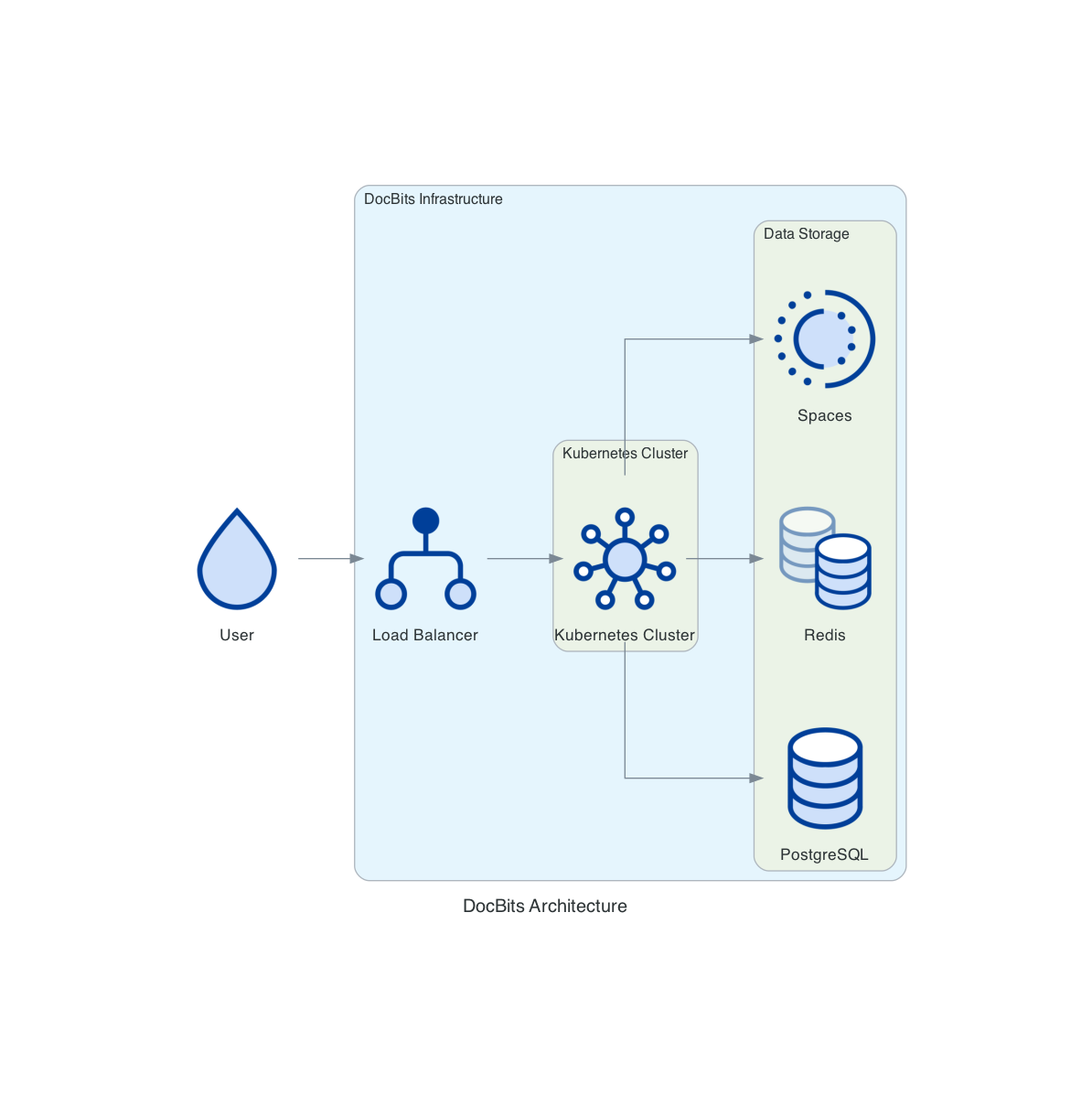
## **DocBits Cloud customer**
## DocBits On premise
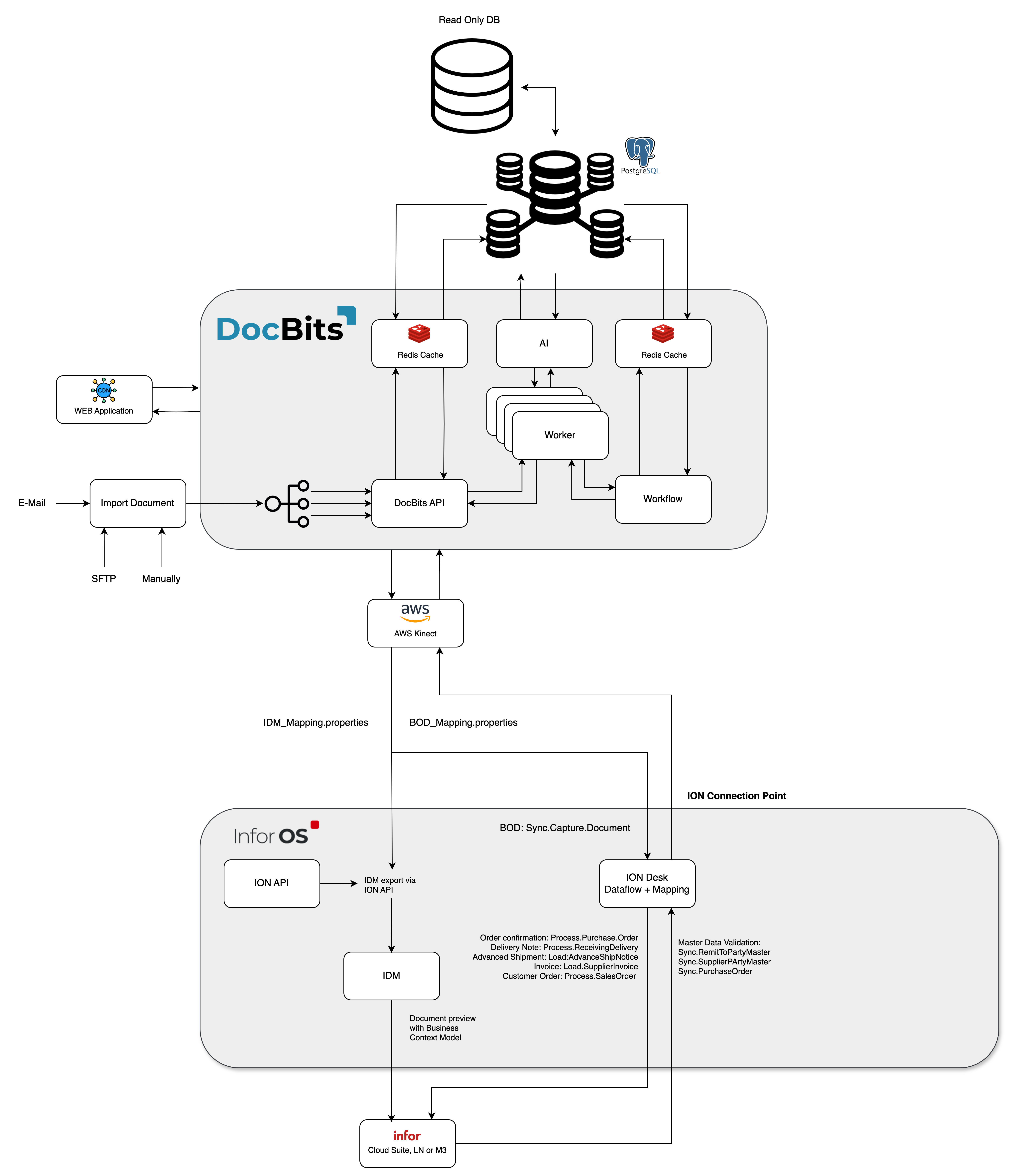
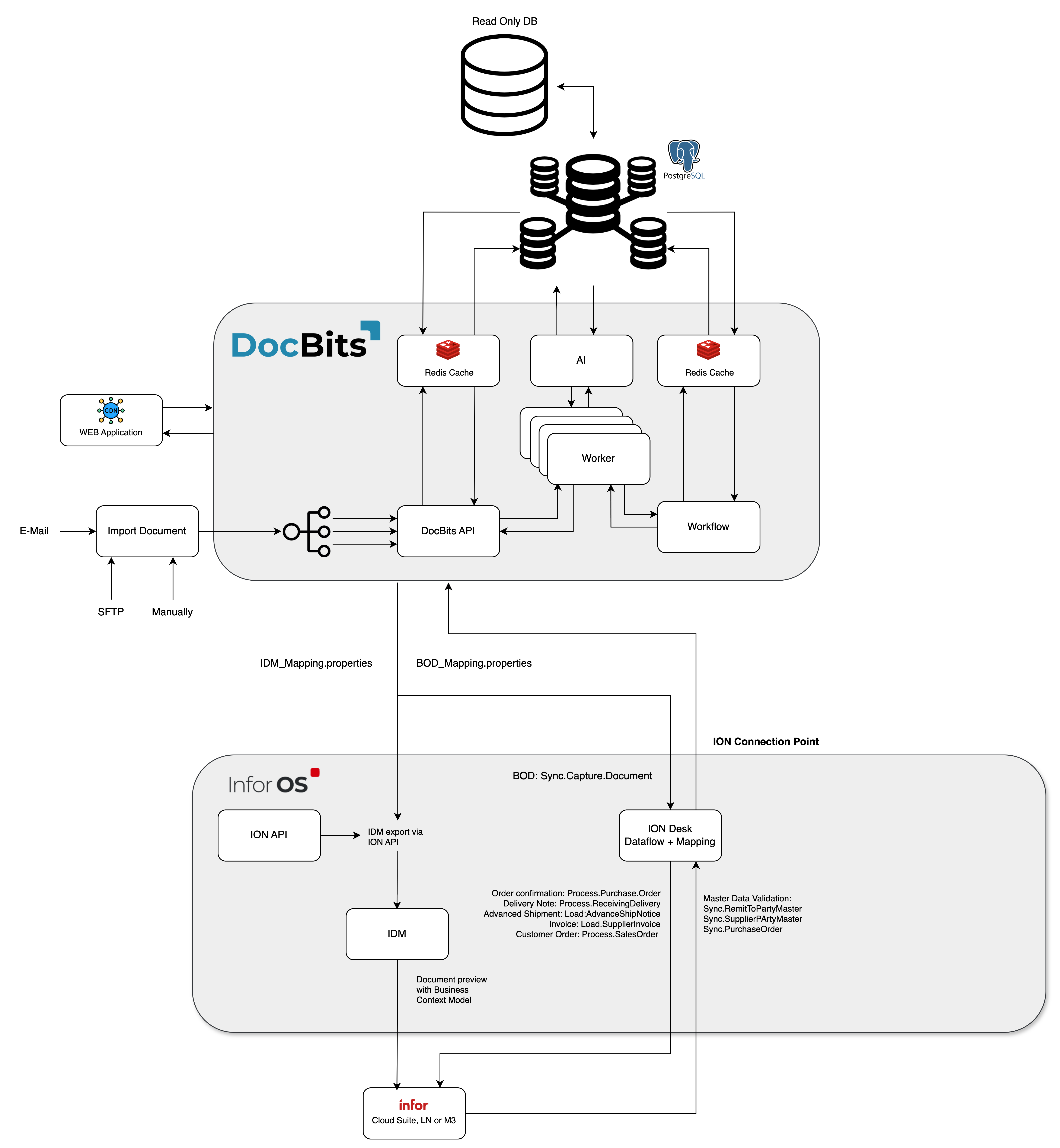
Doc**Bits** seamlessly integrates with Infor LN/M3 through ION API, ION Desk, and Infor Standard BODs. Our API integration allows us to export data to Infor and perform master data validation in Doc**Bits**.
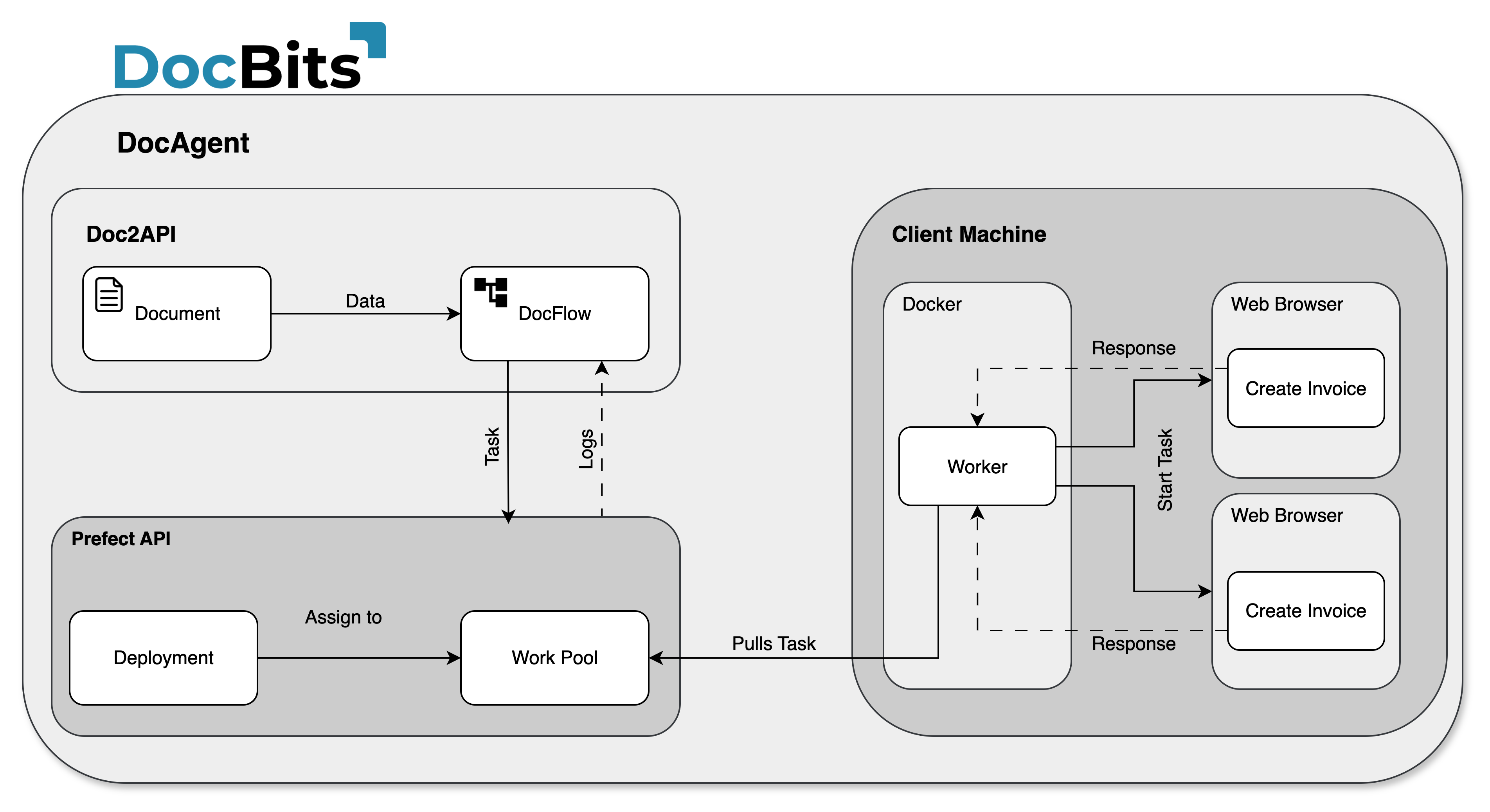
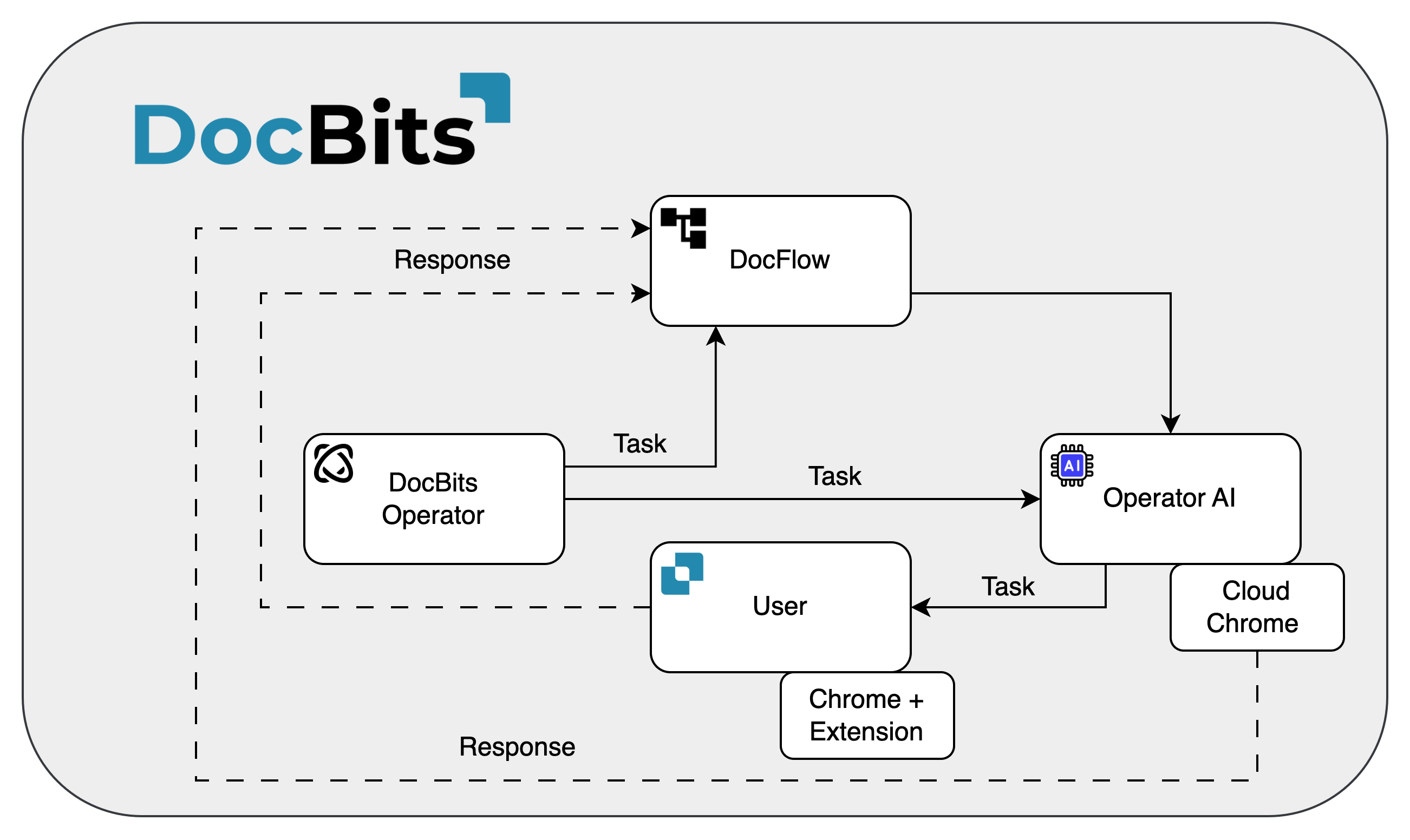
## **DocBits Operator Architecture**
All connections between components are secured using industry-standard encryption protocols. SSH, HTTPS, and other secure channels ensure data integrity and confidentiality throughout the system.
**On Premise:**
{% content-ref url="/pages/22Msant1byxv36JnwHgM" %}
[Prefect Local Setup Requirements](/overview-and-basics/architecture/prefect-local-setup-requirements.md)
{% endcontent-ref %}
**Cloud**:
## Exporting Data to Infor
We use the ION API to send the PDF with attributes to IDM and the BOD Sync.CaptureDocument to ION Desk. In ION Desk, we transform the [Sync.CaptureDocument](/infor-integration-and-configuration/exporting-in-docbits.md) to the desired target BODs based on the document type being processed. These transformed Infor BODs are then automatically imported to LN or M3.
{% hint style="info" %}
Export to [Infor](/infor-integration-and-configuration/exporting-to-infor.md)
{% endhint %}
## Master Data Validation in DocBits
To identify the supplier or compare/match purchase order lines, we activate a trigger in LN/M3 that sends the Sync.RemitToPartyMaster, Sync.SupplierPartyMaster, and Sync.PurchaseOrder BODs to Doc**Bits**. We configure this process in ION Desk by defining the dataflow to a specific connection point to Doc**Bits**.
{% hint style="info" %}
[Master Data Validation](/infor-integration-and-configuration/importing-customer-master-data.md)
{% endhint %}
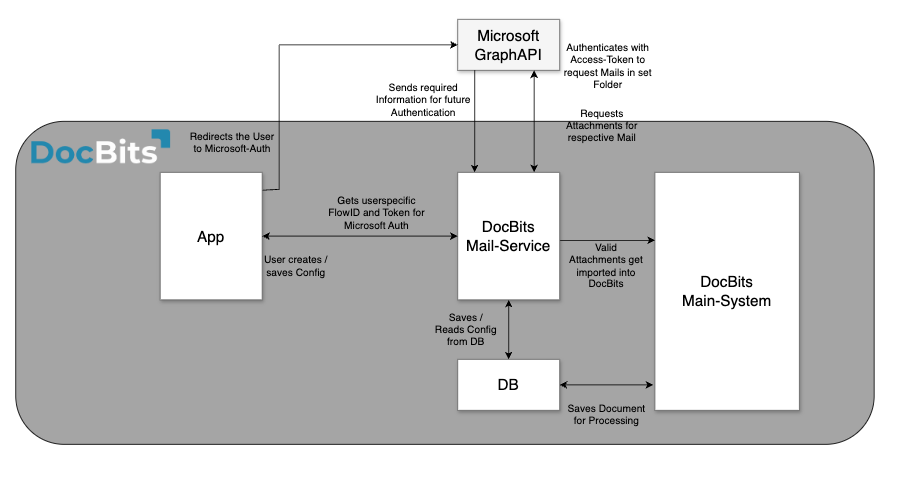
## Email Import OAuth Office365
---
# Agent Instructions
This documentation is published with GitBook. GitBook is the documentation platform designed so that both humans and AI agents can read, navigate, and reason over technical content effectively. Learn more at gitbook.com.
## Querying This Documentation
If you need additional information that is not directly available in this page, you can query the documentation dynamically by asking a question.
Perform an HTTP GET request on the current page URL with the `ask` query parameter, and the optional `goal` query parameter:
```
GET https://docs.docbits.com/overview-and-basics/architecture.md?ask=&goal=
```
`ask` is the immediate question: it should be specific, self-contained, and written in natural language.
`goal` is optional and describes the broader end goal you are ultimately trying to accomplish on behalf of the user. GitBook uses it to tailor the answer towards what is most useful for that goal.
The response will contain a direct answer to the question and relevant excerpts and sources from the documentation.
Use this mechanism when the answer is not explicitly present in the current page, you need clarification or additional context, or you want to retrieve related documentation sections.