> For the complete documentation index, see [llms.txt](https://docs.docbits.com/llms.txt). Markdown versions of documentation pages are available by appending `.md` to page URLs; this page is available as [Markdown](https://docs.docbits.com/administration-and-setup/settings/global-settings/groups-users-and-permissions/users/modifying-user-details.md).
# Modifying User Details
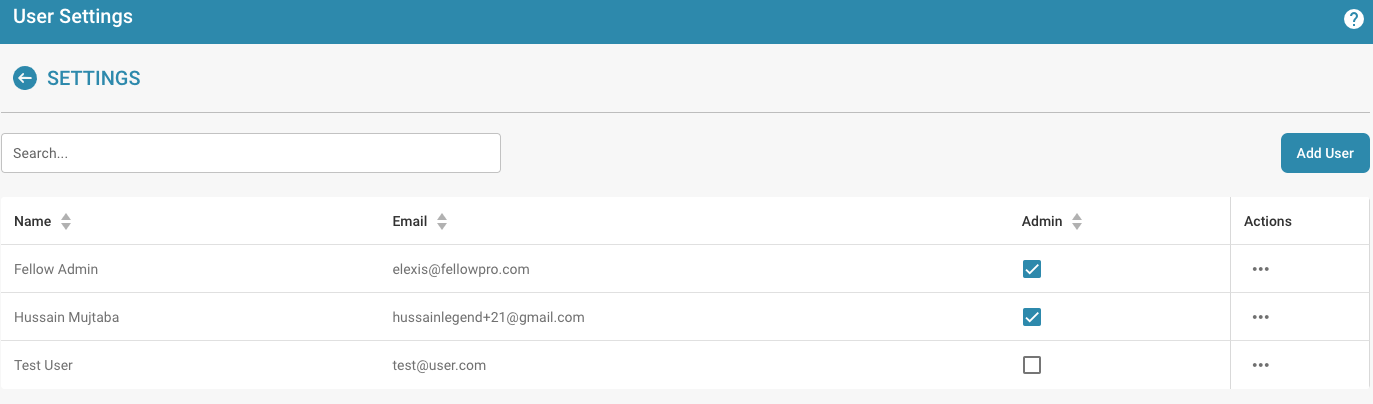
User Settings
* **Logging in as an administrator:** Log in with your administrator privileges.
* **Accessing user management:** Navigate to user settings where you can edit existing users.
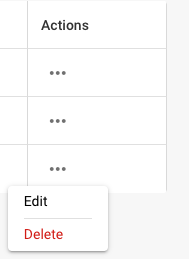
* **Selecting users:** Find and select the user whose details you want to change. This can be done by clicking on the username or an edit button next to the user.
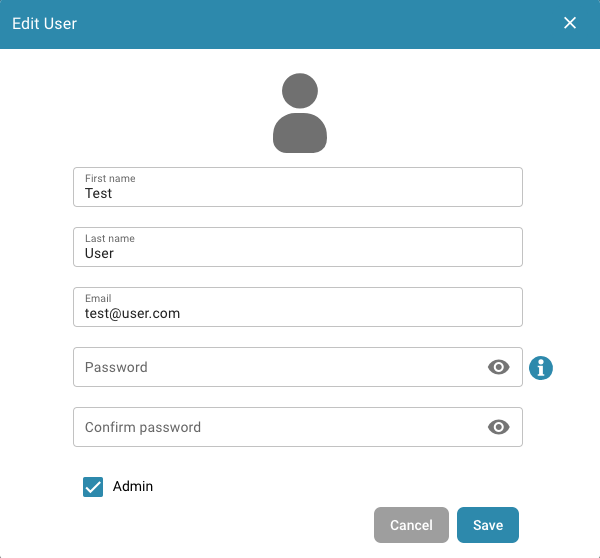
* **Editing user details:** A form will appear containing the user’s current details. Edit the required fields according to the changes you want to make. Typical details to edit include:
* First and last name
* Email address
* User role or permission level
* **Saving Changes:** Review any changes you made and click Save to save the new user details.
* **Review the impact of role changes:** If you changed the user's user role, review the impact of that change on security access levels. Make sure that after the role change, the user has the permissions required to continue performing their duties.
* **Send notification (optional):** You can send a notification to the user to inform them of the changes made.
After completing these steps, the user details are successfully updated and the user has the new information and permissions according to the changes made.
## Removing Users:
* **Selecting Users:** Find and select the user whose access you want to remove. This can be done by clicking the user name or an edit button next to the user.
* **Removing Access:** Click "delete" to remove the user.
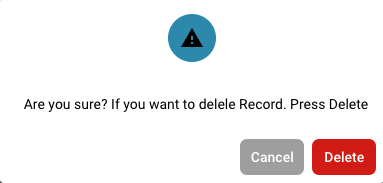
* **Confirmation:** You are asked to confirm the user’s removal.
* **Optional Notification:** You can optionally send a notification to the user to inform them of the removal of their access.
* **Review Tasks and Documents:** Before removing the user, review what tasks or documents are assigned to the user. Move or transfer responsibility for those tasks or documents to another user to make sure nothing gets lost or left unfinished.
* **Save Changes:** Confirm the user’s removal and save the changes.
By following these steps, you can ensure that the user’s access is safely removed while properly managing all relevant tasks and documents.
---
# Agent Instructions
This documentation is published with GitBook. GitBook is the documentation platform designed so that both humans and AI agents can read, navigate, and reason over technical content effectively. Learn more at gitbook.com.
## Querying This Documentation
If you need additional information that is not directly available in this page, you can query the documentation dynamically by asking a question.
Perform an HTTP GET request on the current page URL with the `ask` query parameter, and the optional `goal` query parameter:
```
GET https://docs.docbits.com/administration-and-setup/settings/global-settings/groups-users-and-permissions/users/modifying-user-details.md?ask=&goal=
```
`ask` is the immediate question: it should be specific, self-contained, and written in natural language.
`goal` is optional and describes the broader end goal you are ultimately trying to accomplish on behalf of the user. GitBook uses it to tailor the answer towards what is most useful for that goal.
The response will contain a direct answer to the question and relevant excerpts and sources from the documentation.
Use this mechanism when the answer is not explicitly present in the current page, you need clarification or additional context, or you want to retrieve related documentation sections.