> For the complete documentation index, see [llms.txt](https://docs.docbits.com/llms.txt). Markdown versions of documentation pages are available by appending `.md` to page URLs; this page is available as [Markdown](https://docs.docbits.com/administration-and-setup/settings/global-settings/document-types/script.md).
# Script
{% embed url="" %}
DocBits Document Scripts Explained: Automate Custom Logic in Your Document Workflow
{% endembed %}
#### Overview
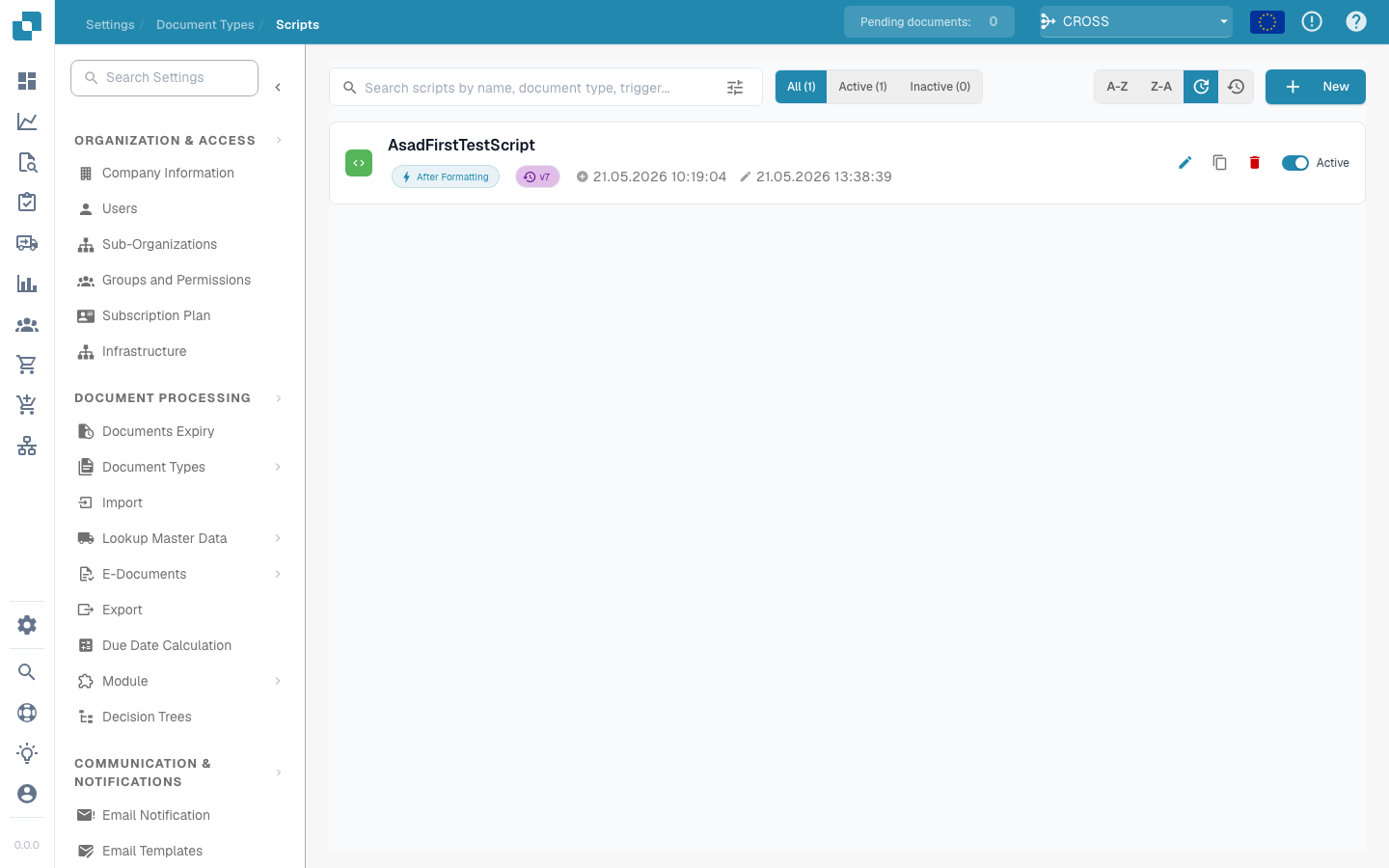
Scripts in Docbits are typically written in a scripting language supported by the system Python. They are triggered during the document processing workflow to apply complex business logic or to ensure data integrity and accuracy before the data is further processed or stored.
#### Key Features and Options
1. **Script Management**:
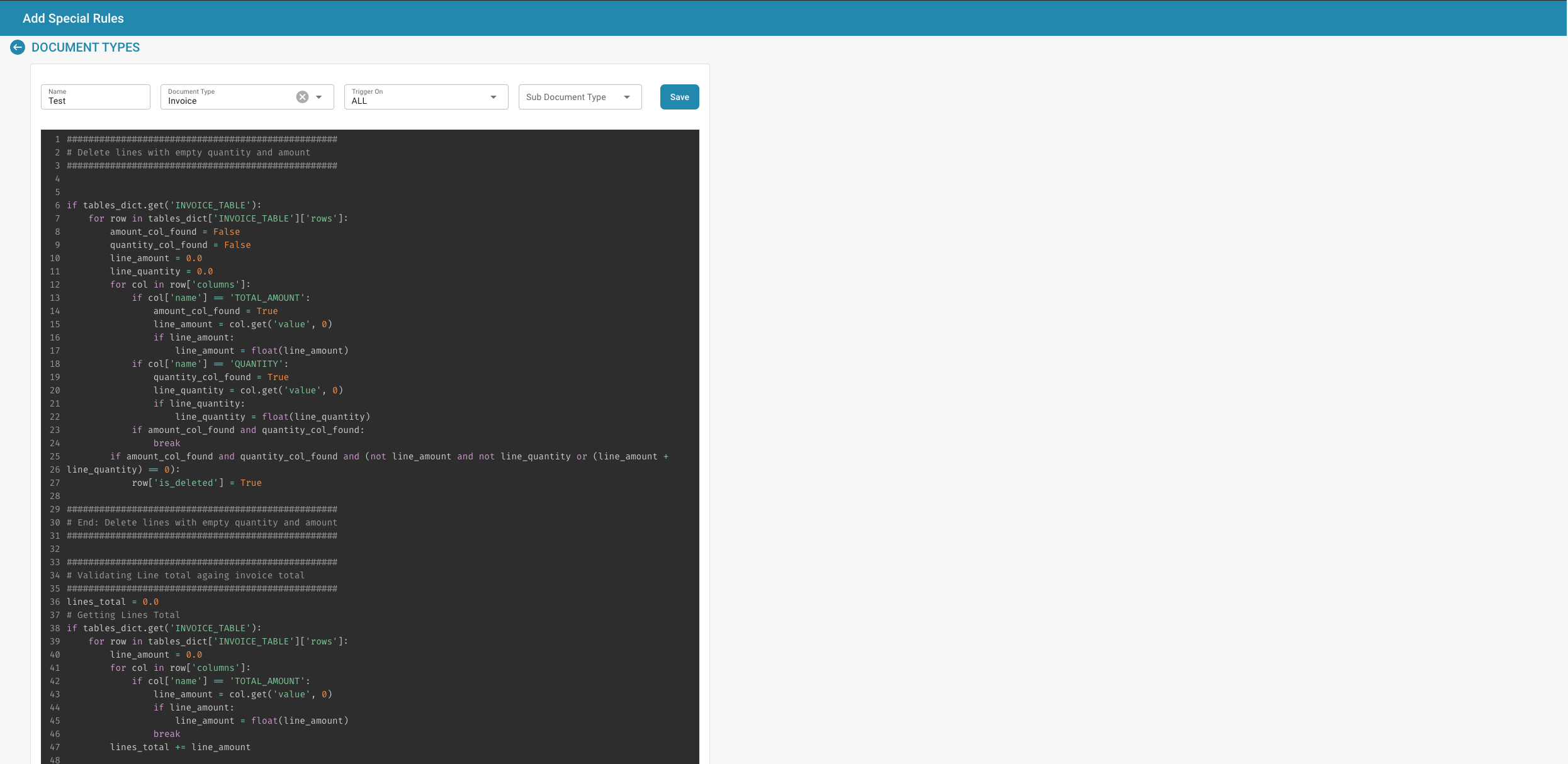
* **Name**: Each script is given a unique name for identification.
* **Document Type**: Associates the script with a specific document type, determining which documents the script will be applied to.
* **Trigger On**: Defines when the script is triggered (e.g., on document upload, before data export, after data validation).
* **Active/Inactive Status**: Allows administrators to activate or deactivate scripts without deleting them, providing flexibility in testing and deployment.
2. **Script Editor**:
* Provides an interface where scripts can be written and edited. The editor typically supports syntax highlighting, error highlighting, and other features to assist in script development.
* **Example Script**: Scripts can include operations such as looping through invoice lines to validate totals or to remove entries that do not meet certain criteria.
---
# Agent Instructions
This documentation is published with GitBook. GitBook is the documentation platform designed so that both humans and AI agents can read, navigate, and reason over technical content effectively. Learn more at gitbook.com.
## Querying This Documentation
If you need additional information that is not directly available in this page, you can query the documentation dynamically by asking a question.
Perform an HTTP GET request on the current page URL with the `ask` query parameter, and the optional `goal` query parameter:
```
GET https://docs.docbits.com/administration-and-setup/settings/global-settings/document-types/script.md?ask=&goal=
```
`ask` is the immediate question: it should be specific, self-contained, and written in natural language.
`goal` is optional and describes the broader end goal you are ultimately trying to accomplish on behalf of the user. GitBook uses it to tailor the answer towards what is most useful for that goal.
The response will contain a direct answer to the question and relevant excerpts and sources from the documentation.
Use this mechanism when the answer is not explicitly present in the current page, you need clarification or additional context, or you want to retrieve related documentation sections.