> For the complete documentation index, see [llms.txt](https://docs.docbits.com/llms.txt). Markdown versions of documentation pages are available by appending `.md` to page URLs; this page is available as [Markdown](https://docs.docbits.com/administration-and-setup/workflow/cards-overview/and/assignee/single-assigned-user-condition-1.md).
# Single Assigned Group Condition
**Purpose:**\
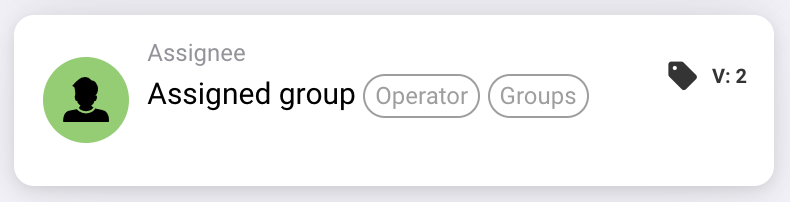
This workflow card executes operations based on whether a task or document is assigned to a particular group. It uses a straightforward condition to trigger or prevent actions based on group assignment.
**Components of the Card:**
1. **Operator**
* **Description:** Defines the logical condition to apply to the group assignment.
* **Options:**
* **IS:** Triggers the operation if the assigned group of the document or task matches the specified group.
* **IS NOT:** Triggers the operation if the assigned group of the document or task does not match the specified group.
2. **Group**
* **Description:** Specifies the group to compare against the assigned group.
* **Detail:** This field allows you to select a single group to compare the assignment.
**Functionality:**
* **Group Assignment Identification:** Automatically identifies the group assigned to a particular task or document.
* **Condition Evaluation:**
* Using the **IS** operator, the card checks if the assigned group matches the specified group.
* Using the **IS NOT** operator, the card ensures the assigned group does not match the specified group.
* **Action Execution:**
* **True Condition:** If the group assignment meets the condition (either **IS** or **IS NOT**), relevant actions are triggered, such as notifications, task initiations, approvals, or other workflow steps.
* **False Condition:** If the condition is not met, the document or task may pass through different routing, or alternative actions may be specified.
**User Interactions:**
* **Setup and Configuration:**\
Users configure the card by selecting an operator and specifying the relevant group. The setup should be simple and intuitive.
* **Monitoring and Reporting:**\
The system should provide functionality to monitor and report on operations triggered by this card, offering insights into assignment accuracy and process efficiency.
* **Error Handling and Notifications:**\
Users should have options to receive alerts or notifications if there are issues with the assignments, such as unassigned tasks or errors in group selection.
**Conclusion:**\
The "Assigned Group Condition" workflow card is essential for managing document and task workflows based on group assignments. By allowing conditions based on whether a task or document is assigned to a specific group, it ensures that workflows are only triggered by the appropriate group interactions, enhancing task management and workflow efficiency.
## Practical example
**When to use:** Apply a rule to the finance review queue.
**Configuration:** Select the equals operator and group `Demo Finance`.
**Expected result and counterexample:** A document assigned to `Demo Finance` passes. Assignment to an individual user alone does not establish membership of this selected document-assignment group.
This is an illustrative configuration and expected outcome. Use fields, users and groups configured in your test organization; it is not a claim that this example was executed.
---
# Agent Instructions
This documentation is published with GitBook. GitBook is the documentation platform designed so that both humans and AI agents can read, navigate, and reason over technical content effectively. Learn more at gitbook.com.
## Querying This Documentation
If you need additional information that is not directly available in this page, you can query the documentation by asking a question.
Perform an HTTP GET request on the following URL with the `ask` and `goal` query parameters:
```
GET https://docs.docbits.com/administration-and-setup/workflow/cards-overview/and/assignee/single-assigned-user-condition-1.md?ask=&goal=
```
`ask` is the immediate question: it should be specific, self-contained, and written in natural language.
`goal` is what the user is ultimately trying to achieve, the reason they need the answer. Sharing it helps GitBook give you a better, more relevant answer. A goal is most helpful when it describes the outcome the user wants rather than restating the question. For example, with `ask=how do I create an API token`, a goal like `automate deployments from our CI pipeline` lets GitBook tailor the answer to that use case.
The response will contain a direct answer to the question and relevant excerpts and sources from the documentation.
Use this mechanism when the answer is not explicitly present in the current page, you need clarification or additional context, or you want to retrieve related documentation sections.