> For the complete documentation index, see [llms.txt](https://docs.docbits.com/llms.txt). Markdown versions of documentation pages are available by appending `.md` to page URLs; this page is available as [Markdown](https://docs.docbits.com/portuguese/administration-and-setup/settings/global-settings/document-types/script.md).
# Script
{% embed url="" %}
DocBits Document Scripts Explained: Automate Custom Logic in Your Document Workflow
{% endembed %}
#### Visão Geral
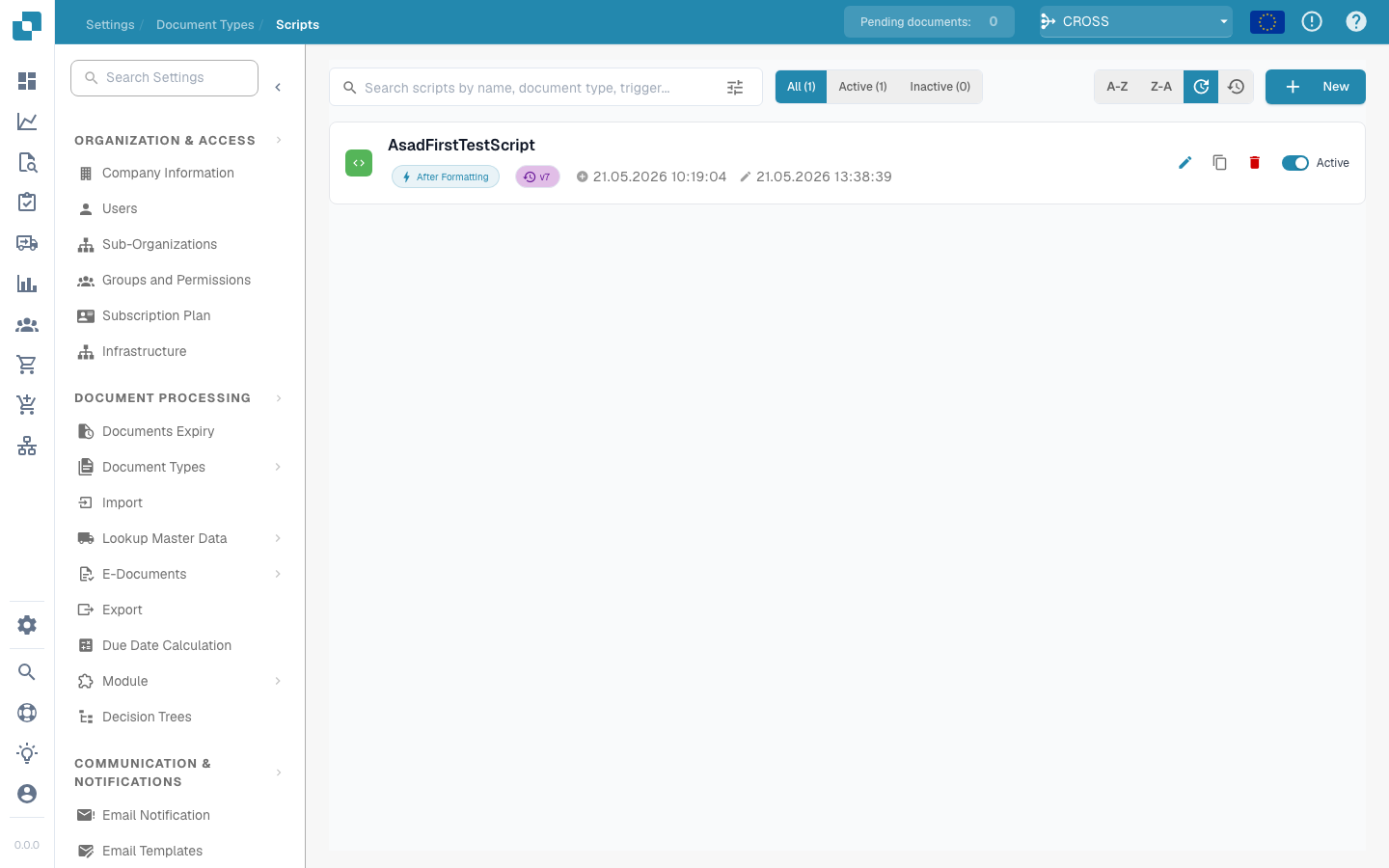
Os scripts no DocBits são tipicamente escritos em uma linguagem de script suportada pelo sistema Python. Eles são acionados durante o fluxo de processamento de documentos para aplicar lógica de negócios complexa ou garantir a integridade e precisão dos dados antes que os dados sejam processados ou armazenados.
#### Recursos e Opções Principais
1. **Gerenciamento de Scripts**:
* **Nome**: Cada script recebe um nome único para identificação.
* **Tipo de Documento**: Associa o script a um tipo de documento específico, determinando em quais documentos o script será aplicado.
* **Acionar Em**: Define quando o script é acionado (por exemplo, no upload do documento, antes da exportação de dados, após a validação de dados).
* **Status Ativo/Inativo**: Permite que os administradores ativem ou desativem scripts sem excluí-los, proporcionando flexibilidade nos testes e implantação.
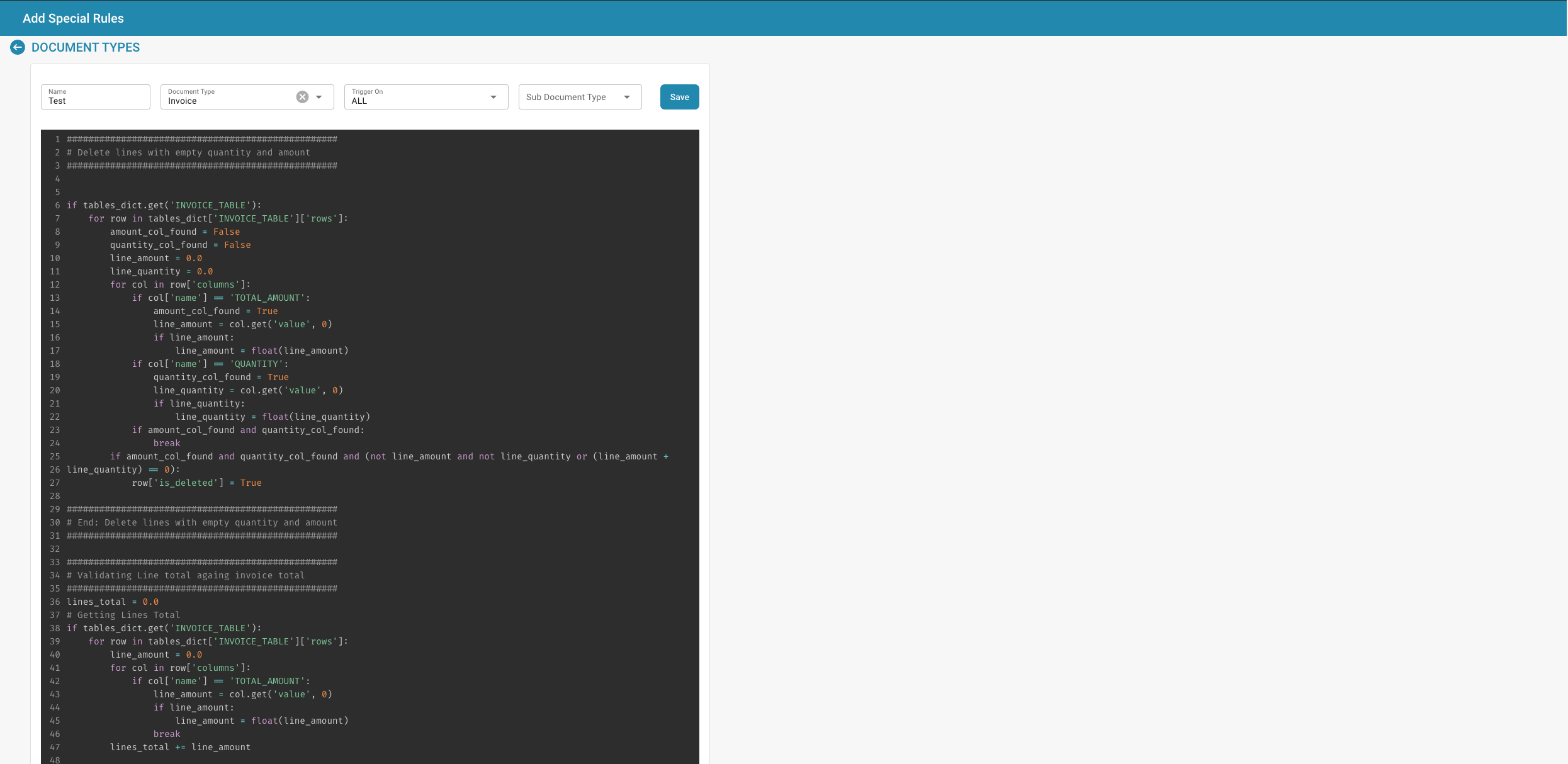
2. **Editor de Scripts**:
* Fornece uma interface onde os scripts podem ser escritos e editados. O editor geralmente suporta realce de sintaxe, realce de erros e outras funcionalidades para auxiliar no desenvolvimento de scripts.
* **Exemplo de Script**: Os scripts podem incluir operações como percorrer as linhas de fatura para validar totais ou remover entradas que não atendam a determinados critérios.
{% @jira/embed url="" %}
---
# Agent Instructions
This documentation is published with GitBook. GitBook is the documentation platform designed so that both humans and AI agents can read, navigate, and reason over technical content effectively. Learn more at gitbook.com.
## Querying This Documentation
If you need additional information that is not directly available in this page, you can query the documentation by asking a question.
Perform an HTTP GET request on the following URL with the `ask` and `goal` query parameters:
```
GET https://docs.docbits.com/portuguese/administration-and-setup/settings/global-settings/document-types/script.md?ask=&goal=
```
`ask` is the immediate question: it should be specific, self-contained, and written in natural language.
`goal` is what the user is ultimately trying to achieve, the reason they need the answer. Sharing it helps GitBook give you a better, more relevant answer. A goal is most helpful when it describes the outcome the user wants rather than restating the question. For example, with `ask=how do I create an API token`, a goal like `automate deployments from our CI pipeline` lets GitBook tailor the answer to that use case.
The response will contain a direct answer to the question and relevant excerpts and sources from the documentation.
Use this mechanism when the answer is not explicitly present in the current page, you need clarification or additional context, or you want to retrieve related documentation sections.