> For the complete documentation index, see [llms.txt](https://docs.docbits.com/llms.txt). Markdown versions of documentation pages are available by appending `.md` to page URLs; this page is available as [Markdown](https://docs.docbits.com/chinese/zui-zhong-yong-hu-yu-he-zuo-huo-ban/end-user-section/validation-screen/troubleshooting.md).
# 故障排查
如果验证屏幕上缺少某个值,请先检查文档中是否能看到相应文本,以及 DocBits 是否识别了该文本。这有助于判断问题出在读取过程,还是字段或规则设置。
1. 在 **Validation(验证)** 中打开受影响的文档。
2. 将原始文档与 **OCR view(OCR 视图)** 进行比较。检查相同的页面,以及值应该出现的相同区域。
3. 如果 OCR 视图中缺少该文本,请参阅 [OCR 提取中缺少文本](/chinese/zui-zhong-yong-hu-yu-he-zuo-huo-ban/end-user-section/validation-screen/troubleshooting/missing-text-in-ocr-extraction.md)。
4. 如果 OCR 视图中存在该文本,但字段仍为空,请让管理员检查该文档类型的字段设置。请提供文档类型、字段名称、页面以及一个安全的测试示例。
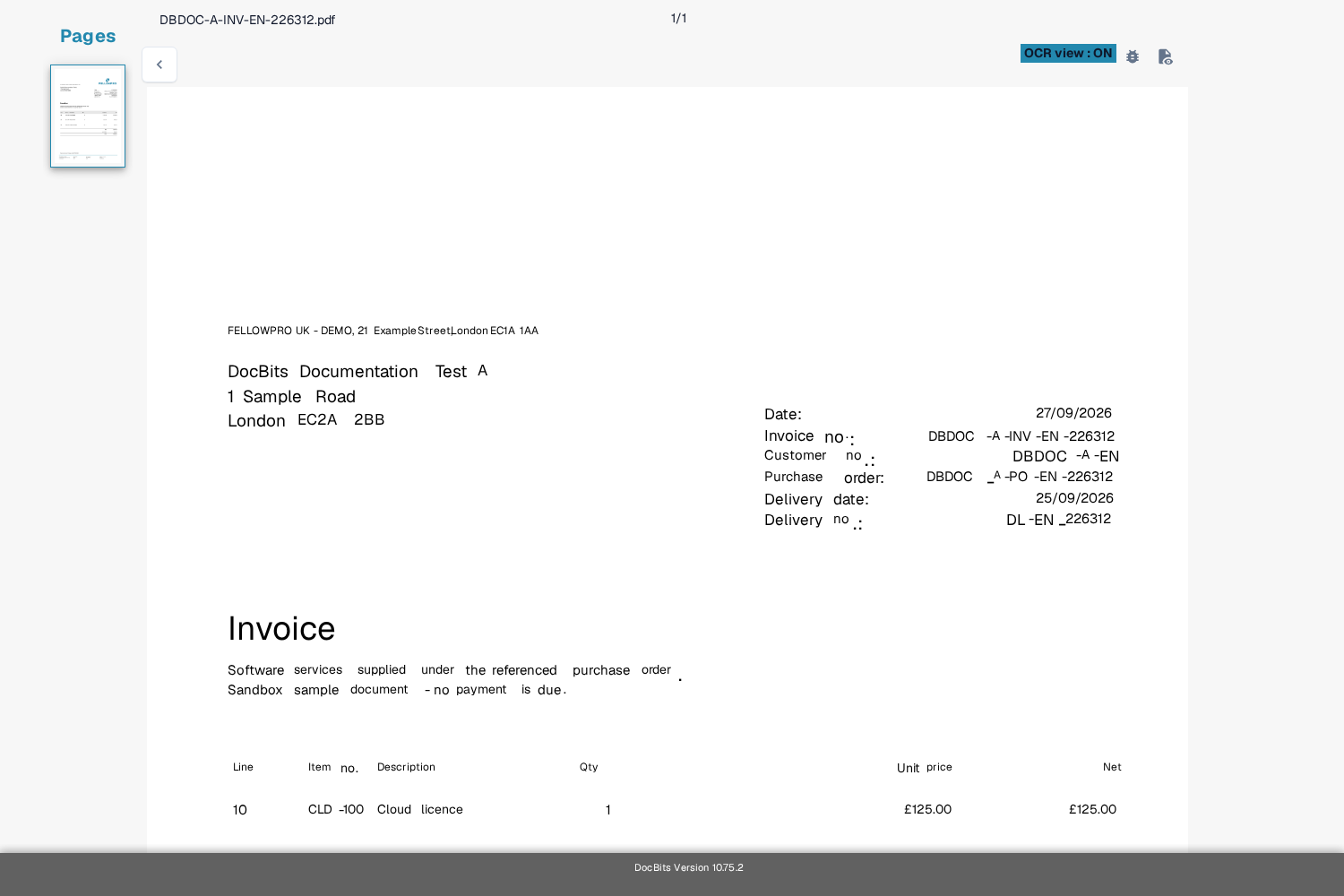
当前 Sandbox Test A 合成发票的英文 OCR 视图。此示例仅供参考,并不表示提取失败。
请勿在支持截图中包含客户文档或个人数据。如果您刚开始使用此屏幕,[验证屏幕概览](/chinese/zui-zhong-yong-hu-yu-he-zuo-huo-ban/end-user-section/validation-screen.md)介绍了主要控件。
---
# Agent Instructions
This documentation is published with GitBook. GitBook is the documentation platform designed so that both humans and AI agents can read, navigate, and reason over technical content effectively. Learn more at gitbook.com.
## Querying This Documentation
If you need additional information that is not directly available in this page, you can query the documentation by asking a question.
Perform an HTTP GET request on the following URL with the `ask` and `goal` query parameters:
```
GET https://docs.docbits.com/chinese/zui-zhong-yong-hu-yu-he-zuo-huo-ban/end-user-section/validation-screen/troubleshooting.md?ask=&goal=
```
`ask` is the immediate question: it should be specific, self-contained, and written in natural language.
`goal` is what the user is ultimately trying to achieve, the reason they need the answer. Sharing it helps GitBook give you a better, more relevant answer. A goal is most helpful when it describes the outcome the user wants rather than restating the question. For example, with `ask=how do I create an API token`, a goal like `automate deployments from our CI pipeline` lets GitBook tailor the answer to that use case.
The response will contain a direct answer to the question and relevant excerpts and sources from the documentation.
Use this mechanism when the answer is not explicitly present in the current page, you need clarification or additional context, or you want to retrieve related documentation sections.