> For the complete documentation index, see [llms.txt](https://docs.docbits.com/llms.txt). Markdown versions of documentation pages are available by appending `.md` to page URLs; this page is available as [Markdown](https://docs.docbits.com/chinese/zui-zhong-yong-hu-yu-he-zuo-huo-ban/end-user-section/error-page.md).
# 错误
## 概述
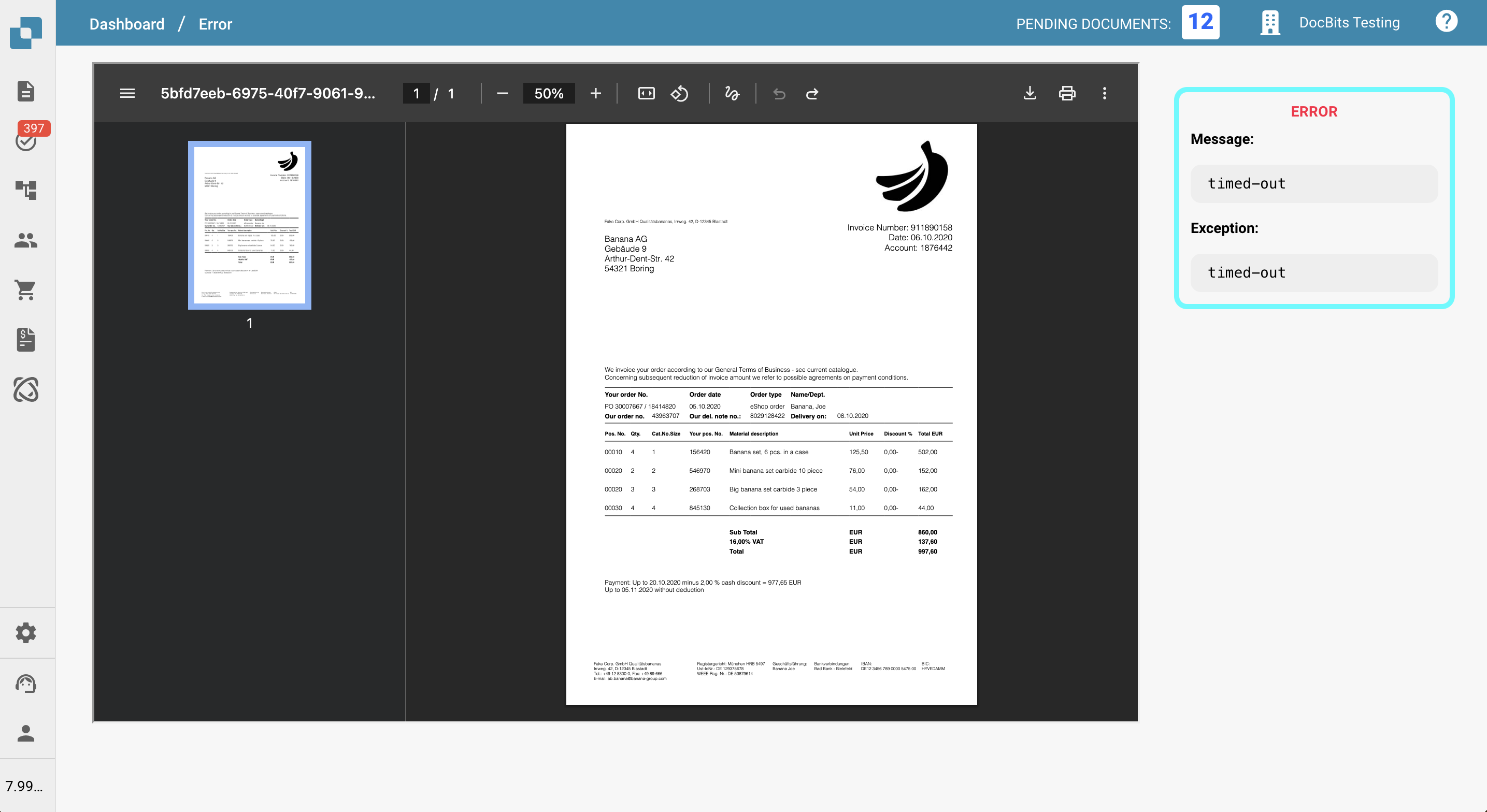
如果文档工作流中发生错误,文档将进入 **Error** 状态。此时,您可以点击该文档来:
* 查看说明错误原因的关键信息
* 为文档添加备注
* 打印或下载文档
这样,您可以诊断问题并采取适当措施,同时仍能访问文档本身。
本页概述了可用于查看和管理处于 **Error** 状态的文档的工具。
## 错误详情
在文档视图的右侧,您会看到 **Error Message**,其中简要说明了发生的问题。\
错误消息下方会显示 **Exception**,指出代码中发生错误的位置。这些信息有助于排查问题;向支持团队报告问题时,请一并提供这些信息。
## 编辑选项
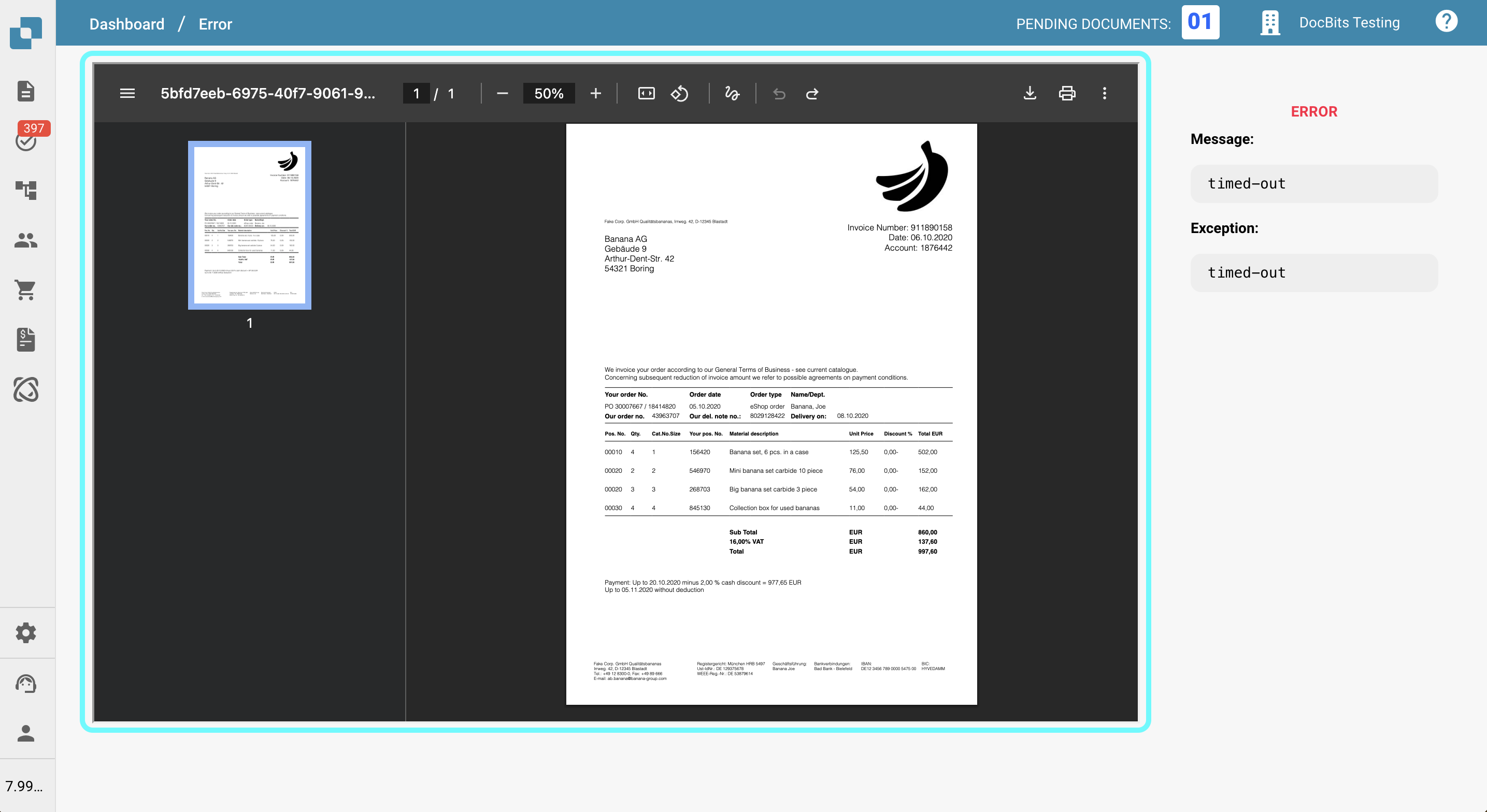
页面左侧显示文档以及可用于交互和查看的工具。
### **左侧工具栏选项**
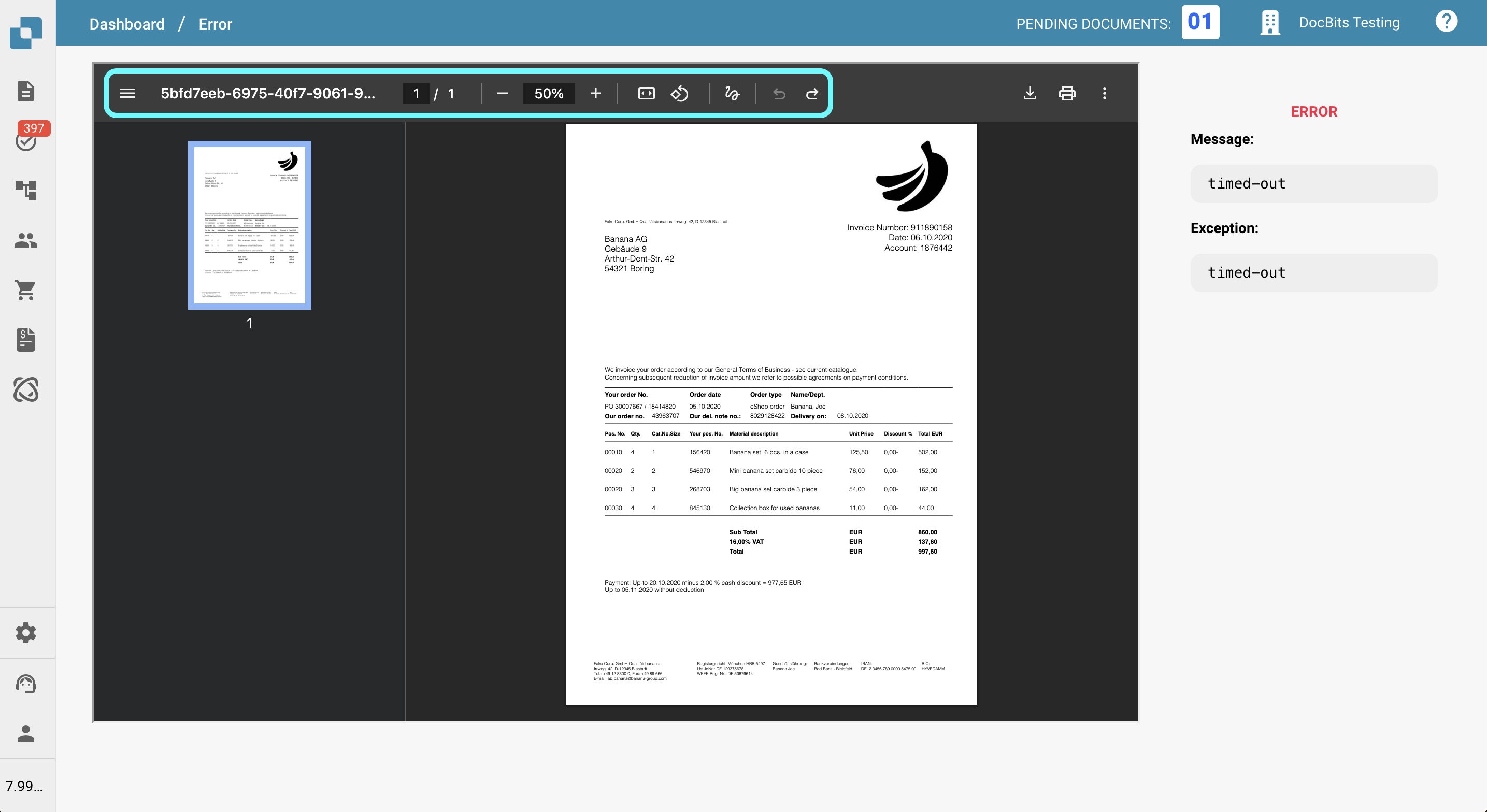
页面左侧的工具栏提供了与文档交互的工具:
* **切换缩略图视图**\
显示或隐藏侧边栏,其中以缩略图形式列出文档的所有页面,方便导航。
* **查看文档 ID**\
报告问题时很有帮助,请在支持请求中提供此 ID。
* **跟踪当前页码和缩放级别**\
查看当前正在查看的页面及其缩放百分比。
* **适应高度或宽度**\
调整文档显示效果,使其适应查看器的高度或宽度。
* **旋转文档**\
旋转文档,方便查看扫描内容或横置内容。
* **添加批注**\
使用评论或高亮标注文档。
* **撤销或重做操作**\
快速撤销或重新执行最近的操作。
***
### **右侧工具栏选项**
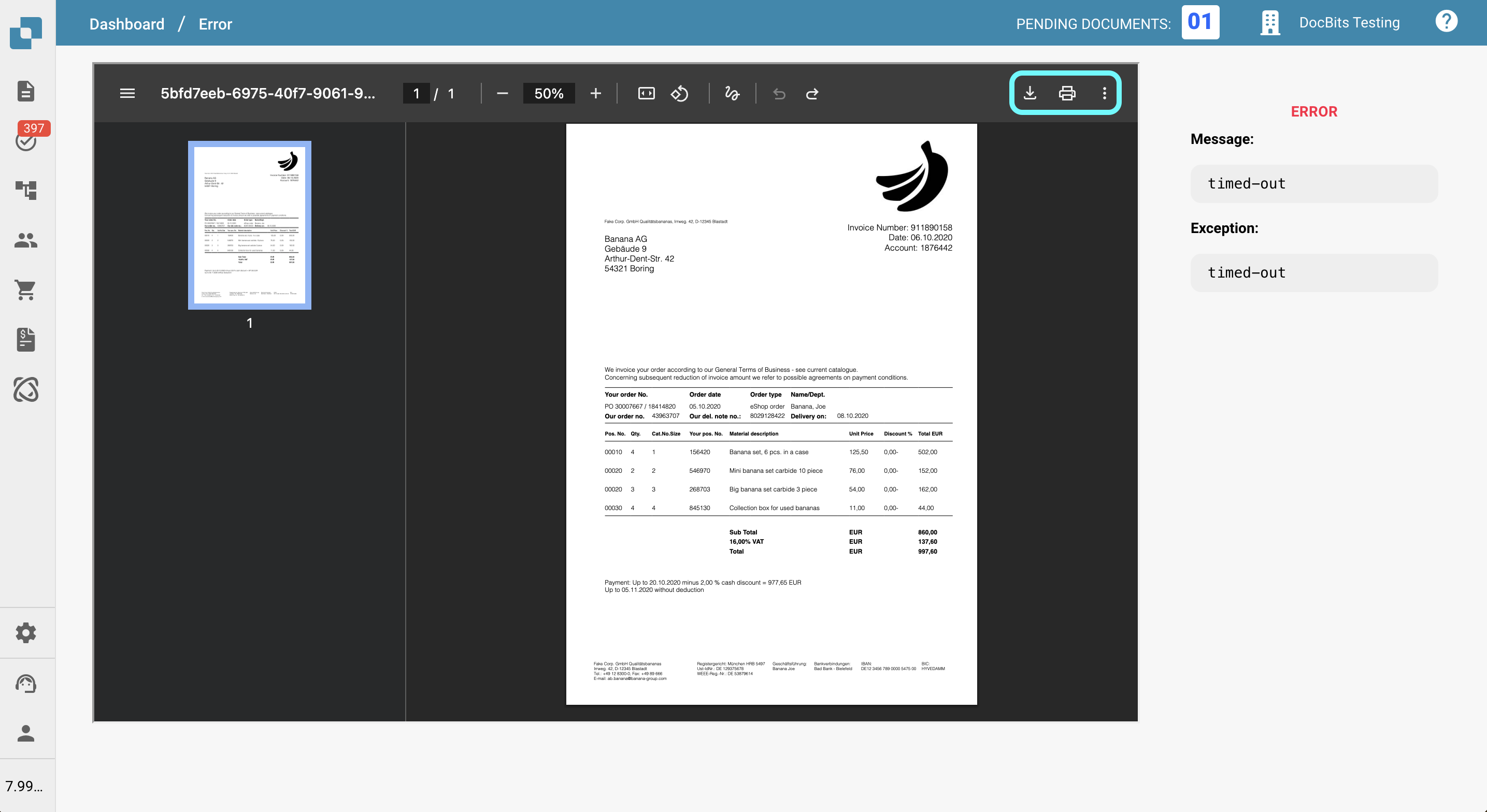
页面右侧的工具栏提供了其他功能:
* **下载文档**\
将文档保存到设备,可选择是否包含批注。
* **打印文档**\
将文档发送到打印机,包括当前显示的批注。
* **切换查看模式**\
在不同的显示样式或阅读模式之间切换。
* **查看文档属性**\
查看文件名、类型、大小和创建日期等元数据。
## 后续处理方式
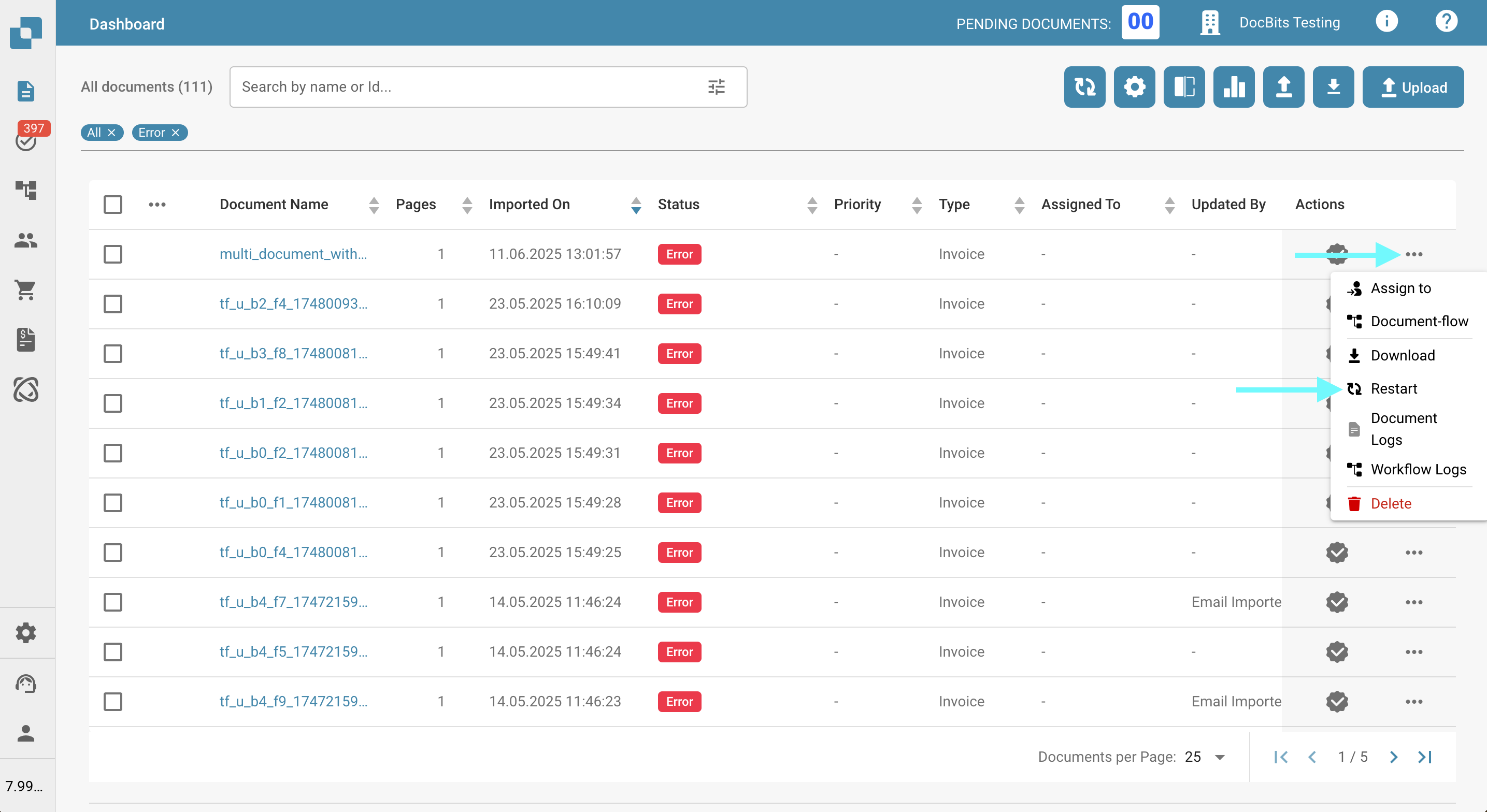
如果文档进入 **Error** 状态,您可以通过以下方式继续处理:
**1. 重新启动文档**
在许多情况下,重新启动文档可以解决问题并恢复处理。
* 重新启动文档:
1. 点击 **Actions** 列中的三个点。
2. 从菜单中选择 **Restart**。
**2. 联系支持团队**
如果重新启动后错误仍然存在,您可以联系支持团队以获取进一步帮助。\
请尽可能提供详细信息,以便团队高效解决问题(例如文档 ID、错误消息和已采取的操作)。
提交支持工单的说明请参阅[此处](/chinese/zui-zhong-yong-hu-yu-he-zuo-huo-ban/end-user-section/ressources-and-support/user-support.md)。
---
# Agent Instructions
This documentation is published with GitBook. GitBook is the documentation platform designed so that both humans and AI agents can read, navigate, and reason over technical content effectively. Learn more at gitbook.com.
## Querying This Documentation
If you need additional information that is not directly available in this page, you can query the documentation by asking a question.
Perform an HTTP GET request on the following URL with the `ask` and `goal` query parameters:
```
GET https://docs.docbits.com/chinese/zui-zhong-yong-hu-yu-he-zuo-huo-ban/end-user-section/error-page.md?ask=&goal=
```
`ask` is the immediate question: it should be specific, self-contained, and written in natural language.
`goal` is what the user is ultimately trying to achieve, the reason they need the answer. Sharing it helps GitBook give you a better, more relevant answer. A goal is most helpful when it describes the outcome the user wants rather than restating the question. For example, with `ask=how do I create an API token`, a goal like `automate deployments from our CI pipeline` lets GitBook tailor the answer to that use case.
The response will contain a direct answer to the question and relevant excerpts and sources from the documentation.
Use this mechanism when the answer is not explicitly present in the current page, you need clarification or additional context, or you want to retrieve related documentation sections.