> For the complete documentation index, see [llms.txt](https://docs.docbits.com/llms.txt). Markdown versions of documentation pages are available by appending `.md` to page URLs; this page is available as [Markdown](https://docs.docbits.com/chinese/guan-li-yu-she-zhi/workflow/cards-overview/https-request-guide.md).
# 发送 HTTPS 请求
***
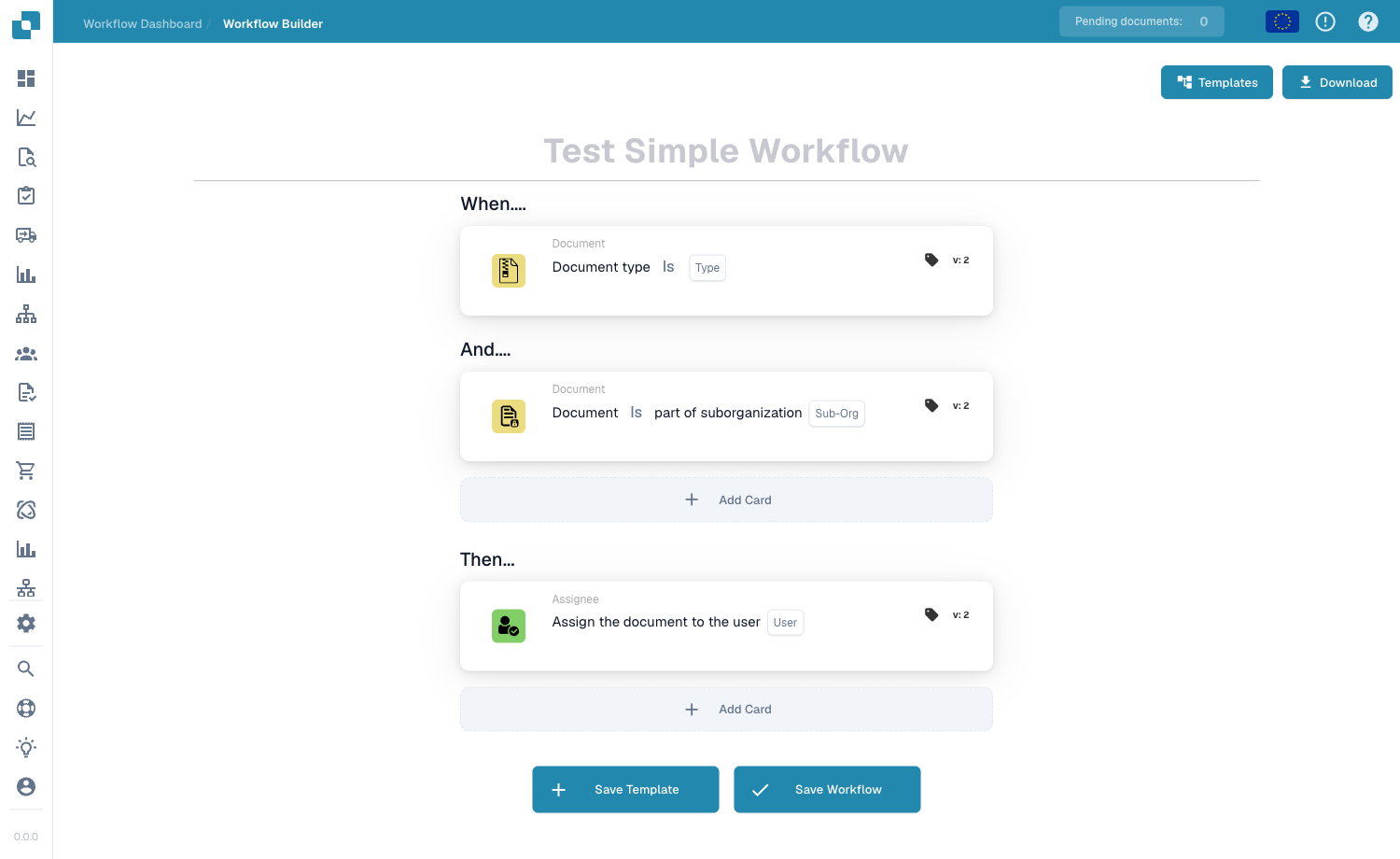
将此卡片添加到工作流构建器的 **Then** 组中。满足 When/And 条件后,系统会执行这些操作:
通过 Add Card 将 Send HTTPS Request 卡片添加到 Then 组。
***
## 📌 版本信息
**当前版本:** v2(最新且推荐) **状态:** ✅ 已启用
**版本历史:**
* v1 → 简单的 HTTP 请求(不再推荐)
* **v2 → 当前版本**(新增多语言支持)
**变更内容:** v2 新增了国际化(i18n)支持。核心 webhook/请求功能保持不变。
📖 [版本历史与变更](https://github.com/Fellow-Consulting-AG/docbits/tree/main/readme/administration-and-setup/changelog/release.md#2-https-request-https_request) | [完整卡片数据库](https://github.com/Fellow-Consulting-AG/docbits/tree/main/readme/DocFlow/docs/card_version.md)
***
## 用途
此卡片向网站或服务发送安全消息,并可接收对方的响应。它比“Call API”卡片更简单,适用于快速集成。
**实际示例:** 将发票数据发送到会计系统,或询问外部系统某位员工是否获准处理此采购。
***
## 何时使用此卡片
在以下情况下使用此卡片:
* 向外部服务发送 webhook 通知
* 触发其他系统中的操作
* 查询简单的 Web 服务
* 向其他应用程序发送状态更新
* 无需复杂 API 即可进行简单集成
***
## 工作原理
1. **检查触发条件**:系统检查是否满足“Where”和“And”条件
2. **构建请求**:系统使用你提供的参数准备 HTTPS 请求
3. **安全发送**:通过安全的 HTTPS 连接发送数据
4. **接收响应**:外部服务返回响应
5. **继续执行**:工作流使用响应数据继续运行
***
## 参数
### URL
要向其发送请求的网站地址
**示例:** `https://webhook.company.com/process`
### Headers
提供给接收方的特殊指令
**示例:**
```
Content-Type: application/json
Authorization: Bearer token123
```
### Method
* **GET**:请求信息
* **POST**:发送数据
* **PUT**:更新数据
### Parameters(查询字符串)
添加到 URL 中的数据
**示例:** `?action=approve&user_id=123`
### Request Data
实际发送的信息(采用 JSON 格式)
**示例:**
```json
{
"invoice_number": "INV-2025-001",
"amount": 5000,
"currency": "EUR"
}
```
***
## 分步示例
### 场景:将发票发送到会计系统
**卡片配置:**
* **URL:** `https://accounting.company.com/invoices/create`
* **Method:** POST
* **Headers:** `Authorization: Bearer YOUR-TOKEN`
* **Request Data:**
```json
{
"supplier_id": "SUPP001",
"invoice_number": "12345",
"amount": 1500.00,
"currency": "EUR",
"date": "2025-10-23"
}
```
**预期响应:**
```json
{
"status": "success",
"accounting_id": "ACC-98765",
"message": "Invoice recorded in accounting system"
}
```
***
## 常见用例
### 1. Webhook 通知
每当 DocFlow 中发生事件时,向其他系统发送实时通知
**示例:**
* 文档已审批 → 向履约系统发送通知
* 供应商信息已更改 → 通过 Slack/Teams webhook 通知采购团队
### 2. 外部系统集成
将 DocFlow 与其他业务系统连接,以自动交换数据
**示例:**
* 文档处理完成后 → 同步到 ERP 系统
* 添加新供应商后 → 在主数据系统中创建供应商记录
### 3. 审批工作流
将文档发送到外部审批系统,并接收审批决定
**示例:**
* 高金额发票 → 发送给财务部门审批
* 将带有审批决定的文档返回给外部系统
***
## 配置指南
### 第 1 步:获取端点信息
向接收系统确认以下信息:
* [ ] HTTPS URL
* [ ] 所需的 headers
* [ ] 身份验证方式
* [ ] 预期的请求格式
* [ ] 预期的响应格式
### 第 2 步:配置卡片
1. 输入 HTTPS URL
2. 设置 HTTP 方法(通常为 POST)
3. 根据需要添加身份验证
4. 将请求数据设为 JSON 格式
5. 添加任何自定义 headers
### 第 3 步:测试
发送测试请求并验证响应
***
## 响应处理
HTTPS 请求会收到响应。常见响应如下:
### 成功(200、201)
```json
{
"success": true,
"id": "REC-12345",
"status": "processed"
}
```
### 请求错误(400)
```json
{
"error": "Missing required field: invoice_number"
}
```
### 未授权(401)
```json
{
"error": "Invalid authentication token"
}
```
### 服务器错误(500)
接收系统出现内部问题
***
## 故障排除
### “证书错误”
**原因:** HTTPS 安全证书存在问题
**解决方案:**
* 确认 URL 正确
* 检查网站证书是否有效
* 确保使用 HTTPS(而不是 HTTP)
### “连接被拒绝”
**原因:** 无法连接到服务器
**解决方案:**
* 确认 URL/IP 地址正确
* 检查服务是否正在运行
* 检查防火墙规则
* 确认互联网连接正常
### “无响应 / 超时”
**原因:** 服务器未能在时限内响应
**解决方案:**
* 检查服务是否可用
* 确认端点 URL
* 检查是否存在速率限制
* 联系系统管理员
### “JSON 无效”
**原因:** 请求数据格式错误
**解决方案:**
* 检查 JSON 中是否缺少逗号
* 确认引号正确
* 验证 JSON 格式(可使用在线 JSON 验证器)
* 检查是否包含特殊字符
***
## 示例
### 示例 1:发送到 Webhook 服务
```
URL: https://webhook.site/your-unique-id
Method: POST
Data:
{
"document_id": "DOC-123",
"status": "approved",
"amount": 5000
}
```
### 示例 2:更新外部系统
```
URL: https://api.company.com/update
Method: PUT
Data:
{
"record_id": "REC-456",
"status": "completed",
"timestamp": "2025-10-23T10:30:00"
}
```
### 示例 3:查询外部服务
```
URL: https://lookup.company.com/validate?id=SUP-789
Method: GET
Headers: Authorization: Bearer token
```
***
## 与“Call API”卡片的区别
| 功能 | HTTPS Request | Call API |
| ---- | ------------- | -------- |
| 简易程度 | 简单 | 更复杂 |
| 参数 | 基本 | 高级 |
| 错误处理 | 基本 | 详细 |
| 适用场景 | 快速集成 | 复杂 API |
| 最适合 | Webhook | 专业 API |
***
## 安全注意事项
✅ **始终使用 HTTPS**(安全连接)
⚠️ **切勿:**
* 将密码放在 URL 中
* 在日志中暴露 API 密钥
* 在参数中包含个人数据
* 对敏感数据使用 HTTP
***
## 最佳实践
✅ **建议:**
* 先用少量数据进行测试
* 添加错误处理
* 记录重要请求
* 记录集成说明
* 监控失败情况
❌ **避免:**
* 在不需要时重复调用同一端点
* 忽略响应错误
* 以明文形式包含敏感数据
* 超出服务的速率限制
***
## 相关卡片
* **CALL\_API** - 更高级的 API 集成
* **CONDITION\_HTTPS\_REQUEST\_STATUS** - 检查请求是否成功
* **ACTION\_SEND\_EMAIL** - 改用电子邮件发送
* **ACTION\_RUN\_DOCOPERATOR\_SCRIPT** - 自动化脚本
---
# Agent Instructions
This documentation is published with GitBook. GitBook is the documentation platform designed so that both humans and AI agents can read, navigate, and reason over technical content effectively. Learn more at gitbook.com.
## Querying This Documentation
If you need additional information that is not directly available in this page, you can query the documentation by asking a question.
Perform an HTTP GET request on the following URL with the `ask` and `goal` query parameters:
```
GET https://docs.docbits.com/chinese/guan-li-yu-she-zhi/workflow/cards-overview/https-request-guide.md?ask=&goal=
```
`ask` is the immediate question: it should be specific, self-contained, and written in natural language.
`goal` is what the user is ultimately trying to achieve, the reason they need the answer. Sharing it helps GitBook give you a better, more relevant answer. A goal is most helpful when it describes the outcome the user wants rather than restating the question. For example, with `ask=how do I create an API token`, a goal like `automate deployments from our CI pipeline` lets GitBook tailor the answer to that use case.
The response will contain a direct answer to the question and relevant excerpts and sources from the documentation.
Use this mechanism when the answer is not explicitly present in the current page, you need clarification or additional context, or you want to retrieve related documentation sections.