> For the complete documentation index, see [llms.txt](https://docs.docbits.com/llms.txt). Markdown versions of documentation pages are available by appending `.md` to page URLs; this page is available as [Markdown](https://docs.docbits.com/chinese/guan-li-yu-she-zhi/workflow/cards-overview.md).
# 卡片
卡片是每个工作流的构建模块。你可以将它们组合到 **When / And / Then** 组中,描述工作流何时运行以及执行什么操作。本节介绍可用的卡片及其功能。
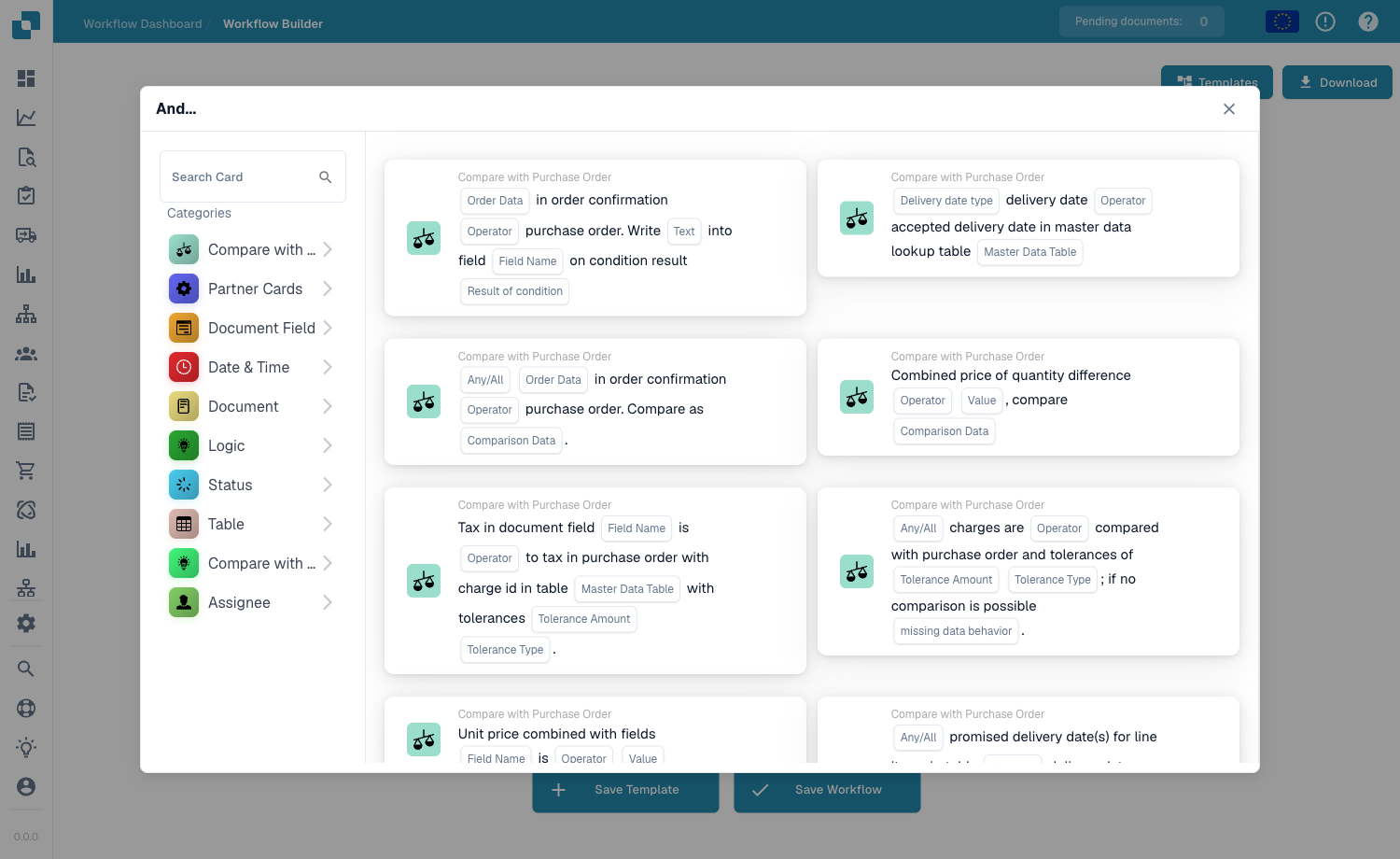
Add Card 卡片库 — 卡片按类别分组。
## 卡片组
* **When** — 启动工作流的触发卡片(例如文档类型、多个文档类型中的任意一种)。
* **And** — 在执行操作之前必须同时满足的条件卡片。这些卡片包括 *Compare with Purchase Order*(采购订单匹配)、*Document Field* 比较、*Date & Time*、*Logic*、*Status*、*Table* 和 *Assignee* 条件。
* **Then** — 执行具体操作的卡片:设置字段、批准或拒绝、更改状态、导出、创建任务、分配文档、操作表格,以及运行操作(Call API、Send HTTPS request、Run Workflow、AI calculations)。
## 卡片参考指南
如需查看每种卡片及其选项的完整参考,请参阅本节中的\_完整指南\_页面(条件卡片、采购订单匹配卡片、分配与用户卡片、任务卡片、字段与表格卡片以及操作卡片)。
## 组合卡片
如需了解经过验证、可解决常见业务场景的卡片组合,请参阅 **Workflow Pattern Guides**。
---
# Agent Instructions
This documentation is published with GitBook. GitBook is the documentation platform designed so that both humans and AI agents can read, navigate, and reason over technical content effectively. Learn more at gitbook.com.
## Querying This Documentation
If you need additional information that is not directly available in this page, you can query the documentation by asking a question.
Perform an HTTP GET request on the following URL with the `ask` and `goal` query parameters:
```
GET https://docs.docbits.com/chinese/guan-li-yu-she-zhi/workflow/cards-overview.md?ask=&goal=
```
`ask` is the immediate question: it should be specific, self-contained, and written in natural language.
`goal` is what the user is ultimately trying to achieve, the reason they need the answer. Sharing it helps GitBook give you a better, more relevant answer. A goal is most helpful when it describes the outcome the user wants rather than restating the question. For example, with `ask=how do I create an API token`, a goal like `automate deployments from our CI pipeline` lets GitBook tailor the answer to that use case.
The response will contain a direct answer to the question and relevant excerpts and sources from the documentation.
Use this mechanism when the answer is not explicitly present in the current page, you need clarification or additional context, or you want to retrieve related documentation sections.