> For the complete documentation index, see [llms.txt](https://docs.docbits.com/llms.txt). Markdown versions of documentation pages are available by appending `.md` to page URLs; this page is available as [Markdown](https://docs.docbits.com/chinese/gao-ji-gong-neng-yu-gong-ju/sql-access.md).
# SQL 访问
## 概述
在 DocBits 设置模块中,管理员可以使用 SQL 直接访问 BI 数据库。此功能面向高级数据管理和自定义报告需求。
### 访问 SQL 直接访问
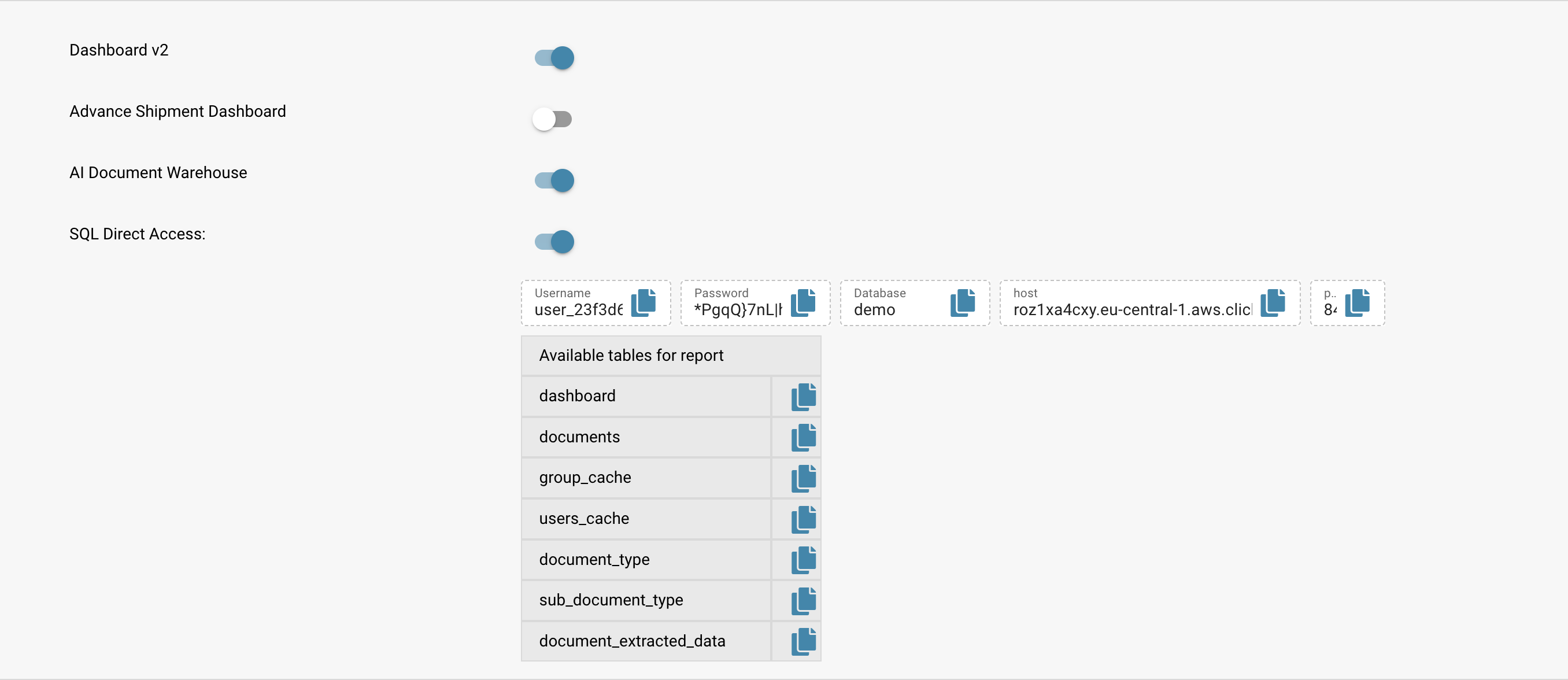
前往设置模块中的 SQL Direct Access 部分。在这里,您可以找到凭据和访问信息,包括用户名、密码、数据库名称和主机信息。
* **用户名:** user\_23f3d6
* **密码:** *已加密*
* **数据库:** demo
* **主机:** 请参阅截图
## **示例访问信息:**
```sql
SELECT
COUNT(*),
status,
invoice_type
FROM dashboard
GROUP BY
status,
invoice_type
```
#### 示例查询结果
以下结果显示了按状态和发票类型统计的文档数量:
* **待验证:** 71 张发票,6 个未指定类型
* **待确认:** 1 个未指定类型
* **已完成:** 3 个未指定类型,1 张发票
* **错误:** 2 个未指定类型
#### 使用 clickhouse-client 通过终端访问
对于偏好使用终端的开发人员,可以通过 `clickhouse-client` 建立访问:
```bash
clickhouse-client --host --port --user --password --database
```
### 创建物化视图
我们建议创建物化视图,预先计算数据,以提升 PowerBI 等分析工具的性能:
```sql
SELECT toStartOfWeek(created_on) as week_start, sum(toFloat64OrZero(field_value)) as total_sum
FROM document_extracted_data
WHERE field_name = 'total_amount'
GROUP BY week_start
```
此示例展示了如何按创建周汇总总金额,可用于每周财务汇总或审计跟踪。
## 其他资源
如需进一步协助或高级配置,请联系支持团队,或在帮助部分观看我们提供的完整视频培训。
---
# Agent Instructions
This documentation is published with GitBook. GitBook is the documentation platform designed so that both humans and AI agents can read, navigate, and reason over technical content effectively. Learn more at gitbook.com.
## Querying This Documentation
If you need additional information that is not directly available in this page, you can query the documentation by asking a question.
Perform an HTTP GET request on the following URL with the `ask` and `goal` query parameters:
```
GET https://docs.docbits.com/chinese/gao-ji-gong-neng-yu-gong-ju/sql-access.md?ask=&goal=
```
`ask` is the immediate question: it should be specific, self-contained, and written in natural language.
`goal` is what the user is ultimately trying to achieve, the reason they need the answer. Sharing it helps GitBook give you a better, more relevant answer. A goal is most helpful when it describes the outcome the user wants rather than restating the question. For example, with `ask=how do I create an API token`, a goal like `automate deployments from our CI pipeline` lets GitBook tailor the answer to that use case.
The response will contain a direct answer to the question and relevant excerpts and sources from the documentation.
Use this mechanism when the answer is not explicitly present in the current page, you need clarification or additional context, or you want to retrieve related documentation sections.