> For the complete documentation index, see [llms.txt](https://docs.docbits.com/llms.txt). Markdown versions of documentation pages are available by appending `.md` to page URLs; this page is available as [Markdown](https://docs.docbits.com/administration-and-setup/workflow/cards-overview/then.md).

# Then

A **Then** card tells a workflow what to do after its **When** trigger and any **And** conditions. In the **Workflow Builder**, select **Add Card** under **Then...**. Choose a category on the left or type a name in **Search Card**. Select a card preview to add it, fill in the fields shown on the card, and save the workflow. Scroll within the picker to see more cards. Select **×** to close it without adding a card. See [Workflow](/administration-and-setup/workflow.md) for the complete sequence.

The previews below show available actions, not completed settings. Pick the action that matches the outcome you want.

## Document Field

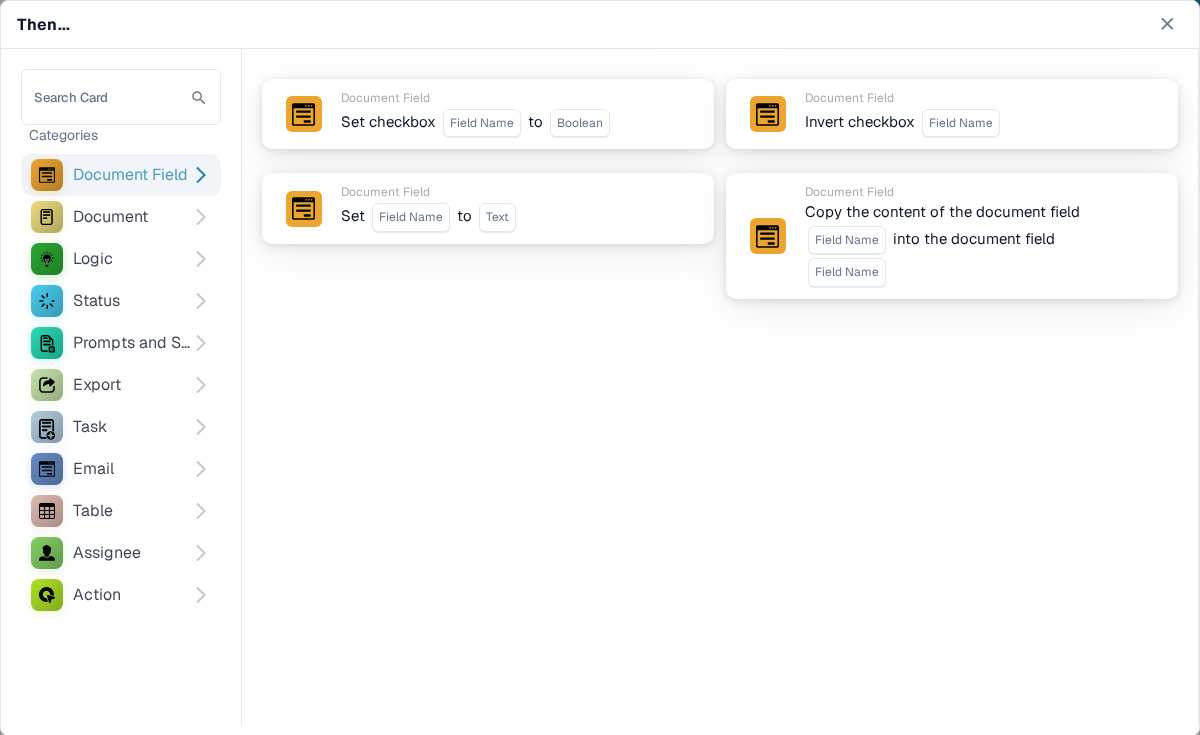
Set or invert a checkbox, put text into a field, or copy one field into another. Choose the field names and value requested by the card. See [Document Field](/administration-and-setup/workflow/cards-overview/then/document-field.md).

<figure><img src="https://578966019-files.gitbook.io/~/files/v0/b/gitbook-x-prod.appspot.com/o/spaces%2FT2n2w4uDCJvv7CJ5zrdk%2Fuploads%2Fgit-blob-184ca952f4ff94ce7ee95fce406acea89d8a1a74%2Fthen-category-document-field-en.png?alt=media" alt="English Then card picker with Document Field selected; previews show checkbox, text, and copy field actions."><figcaption><p>Change a field or copy its contents.</p></figcaption></figure>

## Document

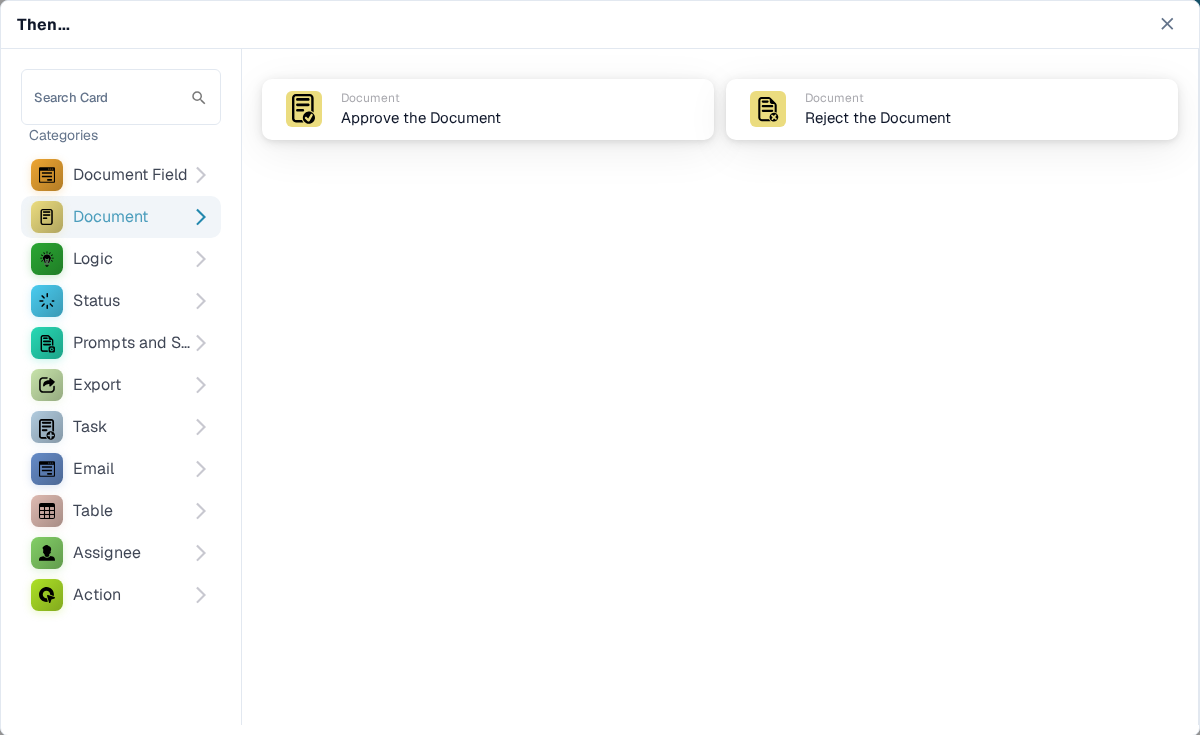
Choose **Approve the Document** or **Reject the Document** when the workflow should make that decision. Use an **And** condition first if approval should depend on a check. See [Document](/administration-and-setup/workflow/cards-overview/then/document.md).

<figure><img src="https://578966019-files.gitbook.io/~/files/v0/b/gitbook-x-prod.appspot.com/o/spaces%2FT2n2w4uDCJvv7CJ5zrdk%2Fuploads%2Fgit-blob-6f1995ec5d45ce0ced7c4610f2b0aafe9b8d8434%2Fthen-category-document-en.png?alt=media" alt="English Then card picker with Document selected; Approve the Document and Reject the Document previews are visible."><figcaption><p>Approve or reject the current document.</p></figcaption></figure>

## Logic

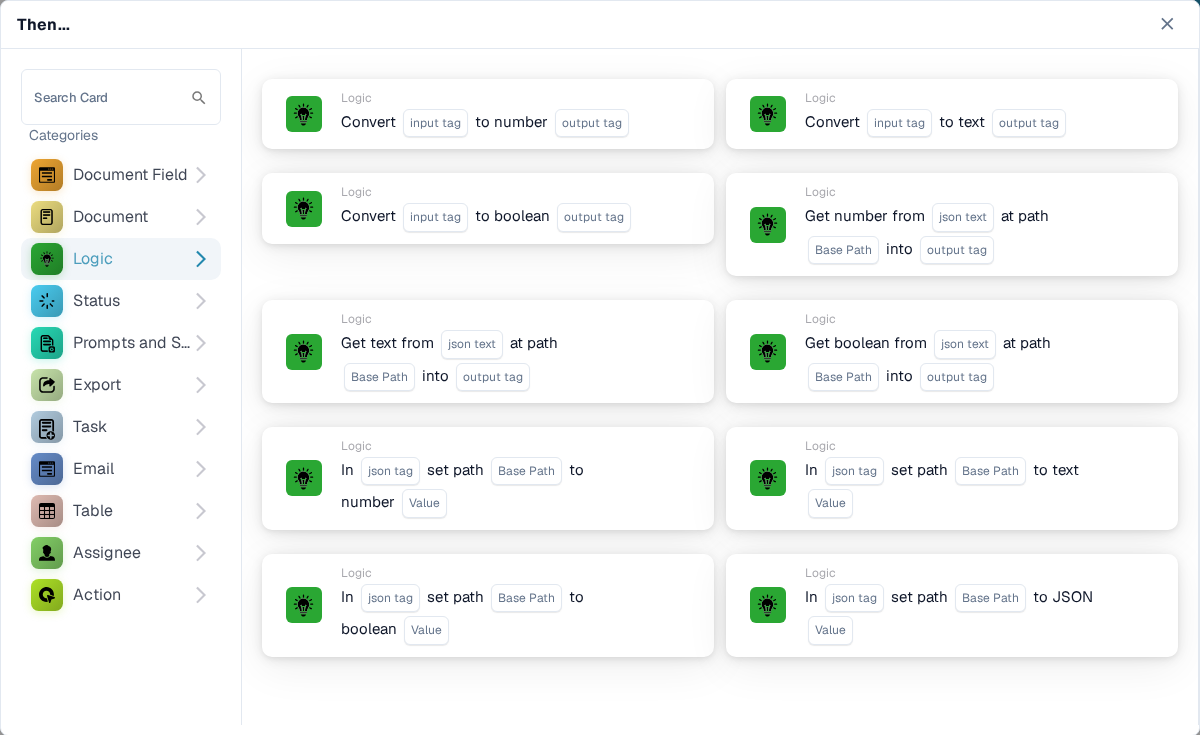
Use these cards to convert values between number, text, and boolean formats, or read a value from JSON. Choose the input and output fields on the selected card.

<figure><img src="https://578966019-files.gitbook.io/~/files/v0/b/gitbook-x-prod.appspot.com/o/spaces%2FT2n2w4uDCJvv7CJ5zrdk%2Fuploads%2Fgit-blob-37b888b5eecc16ce7330c8b1bd17c26086a57f5f%2Fthen-category-logic-en.png?alt=media" alt="English Then card picker with Logic selected; visible previews convert data types and read values from JSON."><figcaption><p>Transform values for a later workflow step.</p></figcaption></figure>

## Status

Choose **Change Status** to move the document to a selected status. The card can also trigger another workflow. See [Status](/administration-and-setup/workflow/cards-overview/then/status.md).

<figure><img src="https://578966019-files.gitbook.io/~/files/v0/b/gitbook-x-prod.appspot.com/o/spaces%2FT2n2w4uDCJvv7CJ5zrdk%2Fuploads%2Fgit-blob-276de2a80de81a146ee151634f00be760980e9f1%2Fthen-category-status-en.png?alt=media" alt="English Then card picker with Status selected; the Change Status preview includes a status field and optional workflow trigger."><figcaption><p>Move the document to another status.</p></figcaption></figure>

## Prompts and Scripts

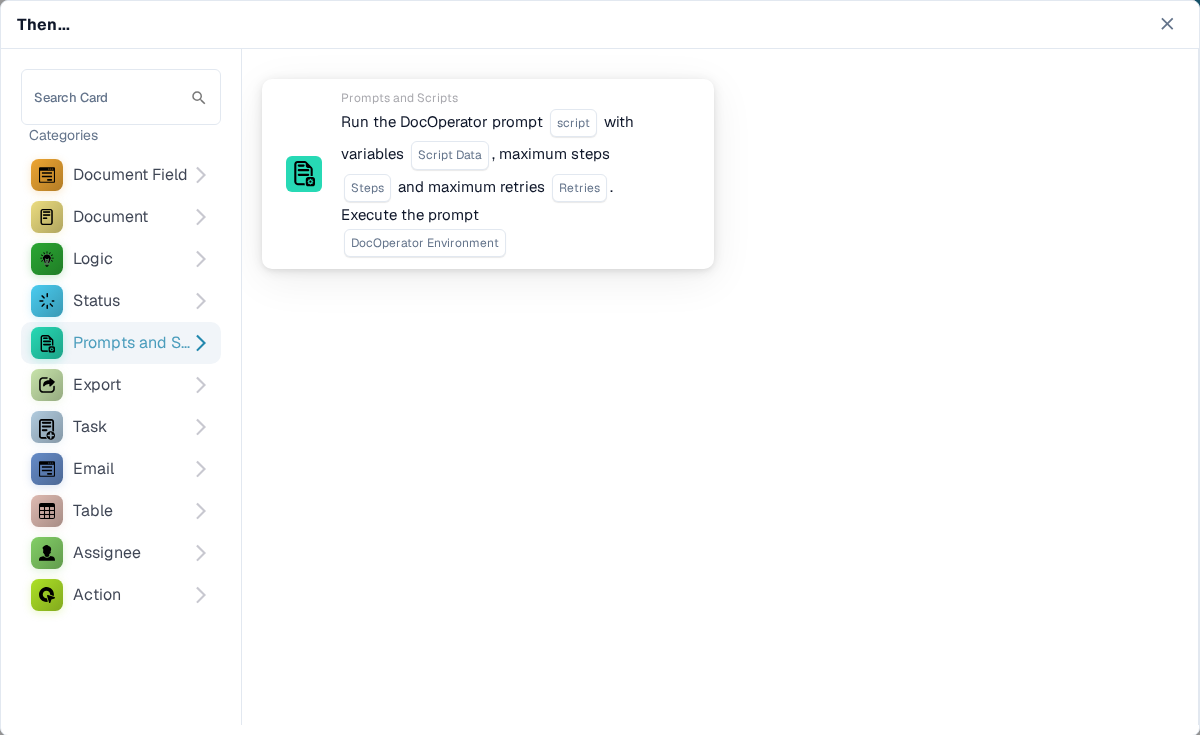
Choose this category to run a DocOperator prompt script. Select the script and the variables requested by the card. The card also offers execution settings such as retries.

<figure><img src="https://578966019-files.gitbook.io/~/files/v0/b/gitbook-x-prod.appspot.com/o/spaces%2FT2n2w4uDCJvv7CJ5zrdk%2Fuploads%2Fgit-blob-ca7e94cc6be0abbef2ad561c0542d8b7648a05b5%2Fthen-category-prompts-scripts-en.png?alt=media" alt="English Then card picker with Prompts and Scripts selected; one DocOperator prompt script preview is visible."><figcaption><p>Run a configured DocOperator prompt script.</p></figcaption></figure>

## Export

Start an export, export with a chosen configuration, or queue a final export. Choose the export configuration and pending-task option shown on your card. See [Export](/administration-and-setup/workflow/cards-overview/then/export.md).

<figure><img src="https://578966019-files.gitbook.io/~/files/v0/b/gitbook-x-prod.appspot.com/o/spaces%2FT2n2w4uDCJvv7CJ5zrdk%2Fuploads%2Fgit-blob-c837618c8e6acb6d5d6aeffdfeeafce0bf8114c6%2Fthen-category-export-en.png?alt=media" alt="English Then card picker with Export selected; previews show start, configured, queued, and alternate exports."><figcaption><p>Select when and how the document is exported.</p></figcaption></figure>

## Task

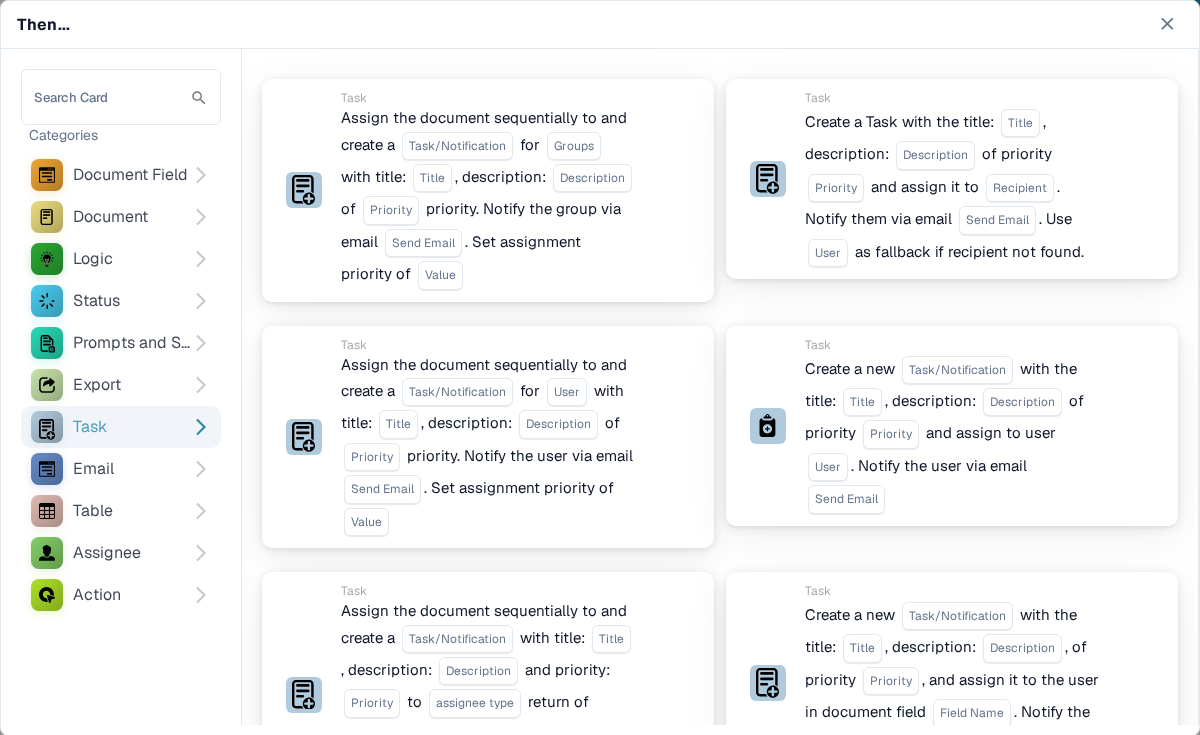
Create a task or notification and assign it to a user or group. Enter the title, description, priority, and notification settings requested by the card. Some cards assign sequentially. See [Task](/administration-and-setup/workflow/cards-overview/then/task.md).

<figure><img src="https://578966019-files.gitbook.io/~/files/v0/b/gitbook-x-prod.appspot.com/o/spaces%2FT2n2w4uDCJvv7CJ5zrdk%2Fuploads%2Fgit-blob-445d24e50d089d3fff0665e845acf02764f7e364%2Fthen-category-task-en.png?alt=media" alt="English Then card picker with Task selected; visible previews create or assign tasks and notifications."><figcaption><p>Create follow-up work for a person or group.</p></figcaption></figure>

## Email

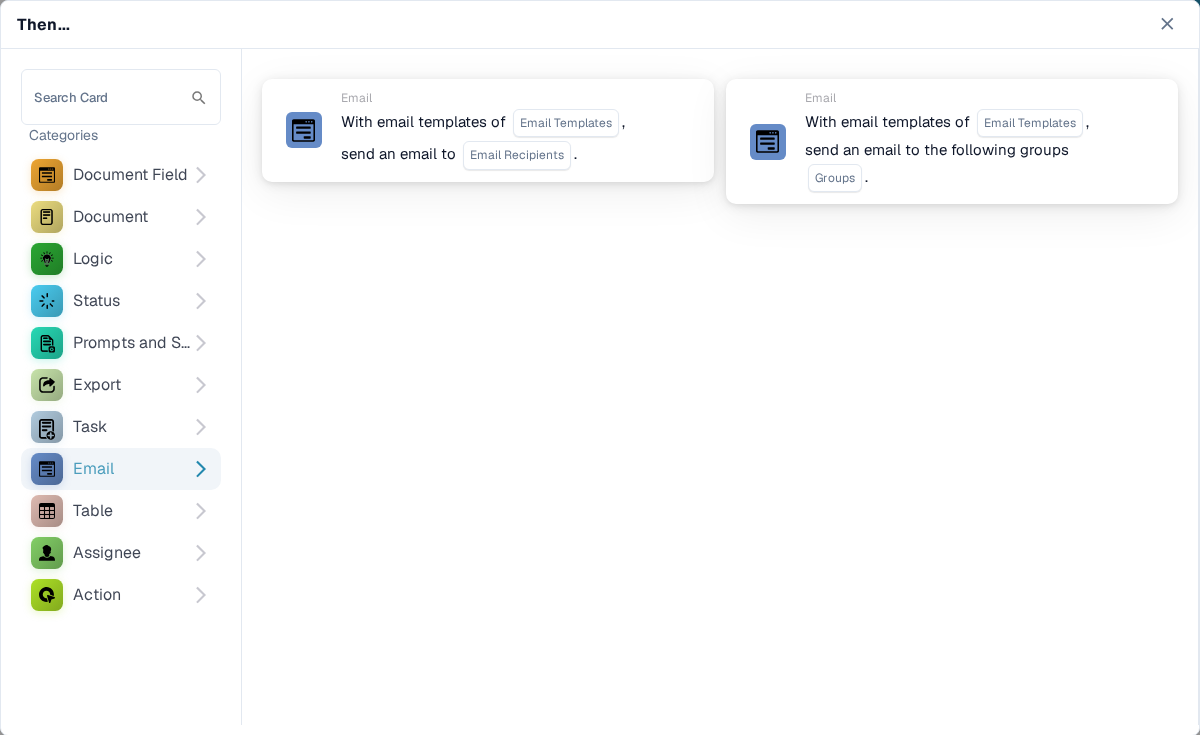
Send an email using a selected template, either to recipients or to groups. Choose the template and destination on the card.

<figure><img src="https://578966019-files.gitbook.io/~/files/v0/b/gitbook-x-prod.appspot.com/o/spaces%2FT2n2w4uDCJvv7CJ5zrdk%2Fuploads%2Fgit-blob-3647e831f55a6381dffbab6d9e932bfadab335e0%2Fthen-category-email-en.png?alt=media" alt="English Then card picker with Email selected; previews send a templated email to recipients or groups."><figcaption><p>Send a templated email.</p></figcaption></figure>

## Table

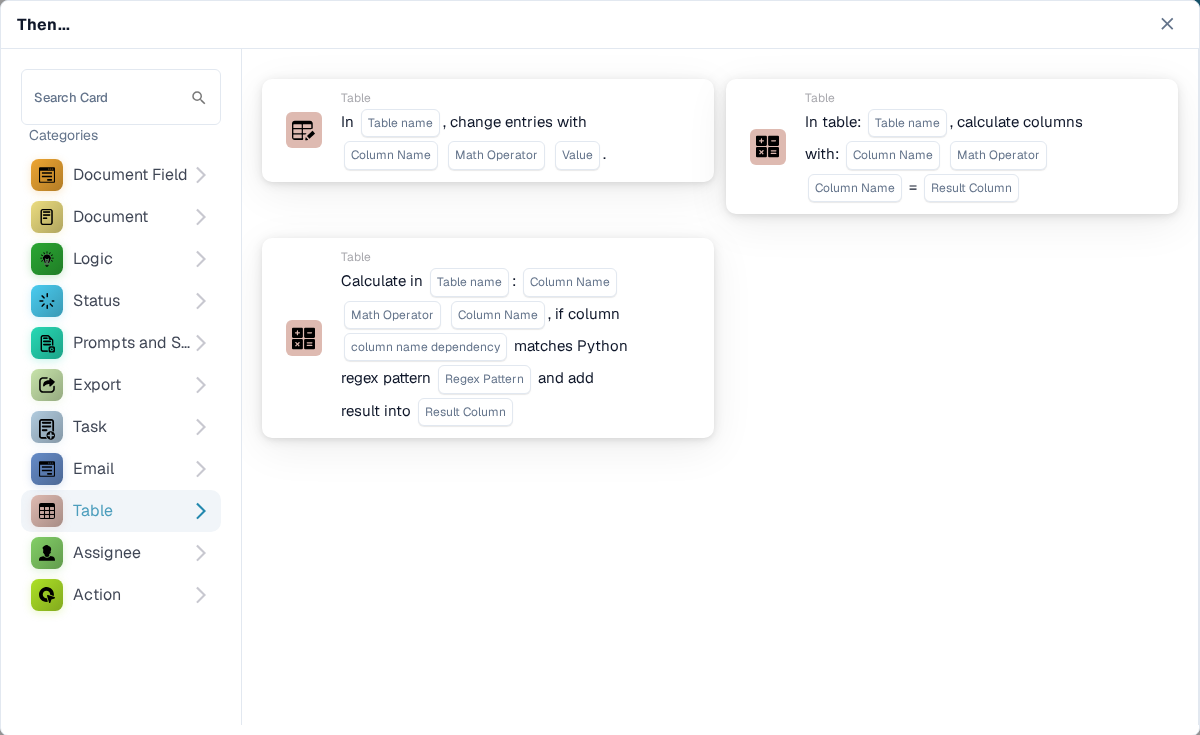
Change entries or calculate values in a document table. Select the table, columns, operator, and result column requested by the card. See [Table](/administration-and-setup/workflow/cards-overview/then/table.md).

<figure><img src="https://578966019-files.gitbook.io/~/files/v0/b/gitbook-x-prod.appspot.com/o/spaces%2FT2n2w4uDCJvv7CJ5zrdk%2Fuploads%2Fgit-blob-1807cdd05da8f85277a5f2512b3e0f2553042f8a%2Fthen-category-table-en.png?alt=media" alt="English Then card picker with Table selected; previews change entries and calculate result columns."><figcaption><p>Update or calculate table data.</p></figcaption></figure>

## Assignee

Assign the document to a user, group, recipient, or sub-organization. Some cards use a field or decision table and offer a fallback. Choose the right destination and fallback on the selected card. See [Assignee](/administration-and-setup/workflow/cards-overview/then/assignee.md).

<figure><img src="https://578966019-files.gitbook.io/~/files/v0/b/gitbook-x-prod.appspot.com/o/spaces%2FT2n2w4uDCJvv7CJ5zrdk%2Fuploads%2Fgit-blob-d201e423a32dc99da7c1c0dea2daebeb0a5cedbf%2Fthen-category-assignee-en.png?alt=media" alt="English Then card picker with Assignee selected; visible previews assign a user, recipient, group, or supplier contact."><figcaption><p>Route the document to the next responsible person or group.</p></figcaption></figure>

## Action

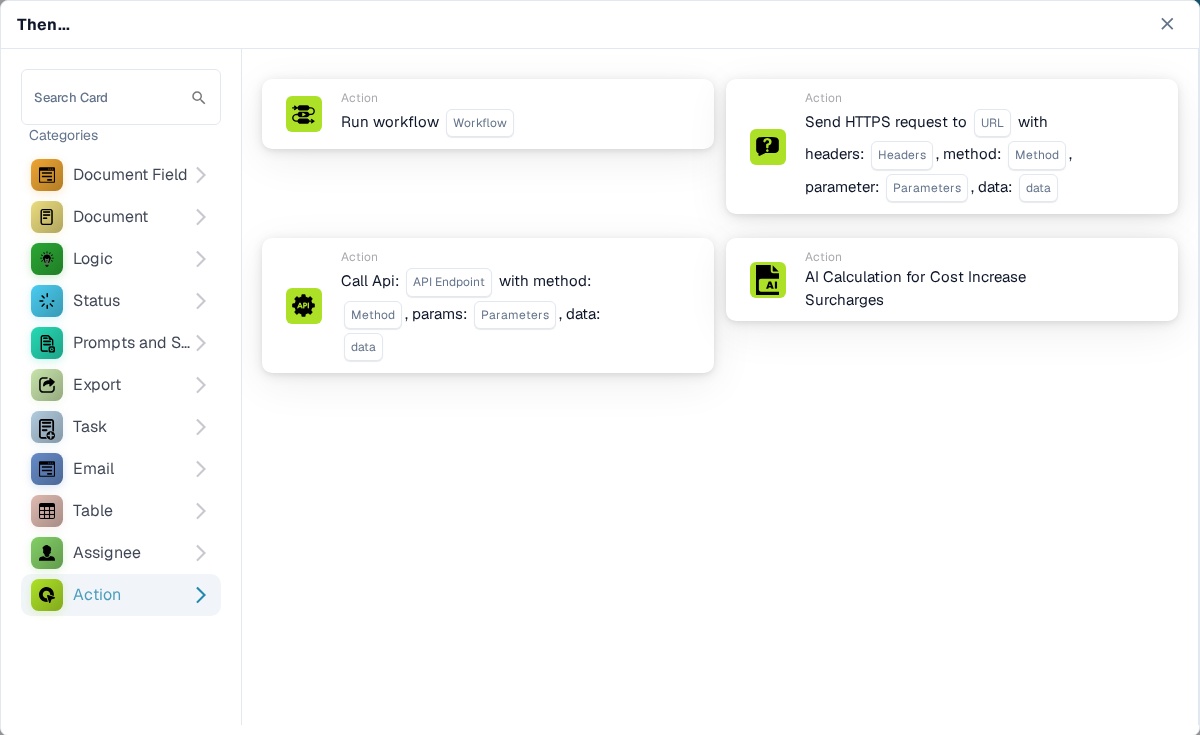
Run another workflow, send an HTTPS request, call an API, or use the cost-increase calculation card. These actions can affect other systems; ask your administrator which endpoint and settings to use. See [Action](/administration-and-setup/workflow/cards-overview/then/action.md).

<figure><img src="https://578966019-files.gitbook.io/~/files/v0/b/gitbook-x-prod.appspot.com/o/spaces%2FT2n2w4uDCJvv7CJ5zrdk%2Fuploads%2Fgit-blob-0602f29aa508eb4cd5c416a0ea64943bfaaf7f48%2Fthen-category-action-en.png?alt=media" alt="English Then card picker with Action selected; previews show Run workflow, HTTPS request, API call, and cost increase calculation."><figcaption><p>Start another workflow or integration action.</p></figcaption></figure>

[Detailed logic-card fields, JSON paths, triggers and tests](/administration-and-setup/workflow/cards-overview/logic-cards-guide.md).


---

# Agent Instructions
This documentation is published with GitBook. GitBook is the documentation platform designed so that both humans and AI agents can read, navigate, and reason over technical content effectively. Learn more at gitbook.com.

## Querying This Documentation
If you need additional information that is not directly available in this page, you can query the documentation by asking a question.

Perform an HTTP GET request on the following URL with the `ask` and `goal` query parameters:

```
GET https://docs.docbits.com/administration-and-setup/workflow/cards-overview/then.md?ask=<question>&goal=<user_goal>
```

`ask` is the immediate question: it should be specific, self-contained, and written in natural language.
`goal` is what the user is ultimately trying to achieve, the reason they need the answer. Sharing it helps GitBook give you a better, more relevant answer. A goal is most helpful when it describes the outcome the user wants rather than restating the question. For example, with `ask=how do I create an API token`, a goal like `automate deployments from our CI pipeline` lets GitBook tailor the answer to that use case.

The response will contain a direct answer to the question and relevant excerpts and sources from the documentation.

Use this mechanism when the answer is not explicitly present in the current page, you need clarification or additional context, or you want to retrieve related documentation sections.