> For the complete documentation index, see [llms.txt](https://docs.docbits.com/llms.txt). Markdown versions of documentation pages are available by appending `.md` to page URLs; this page is available as [Markdown](https://docs.docbits.com/administration-and-setup/settings/document-processing/due-date-calculation.md).
# Due Date Calculation
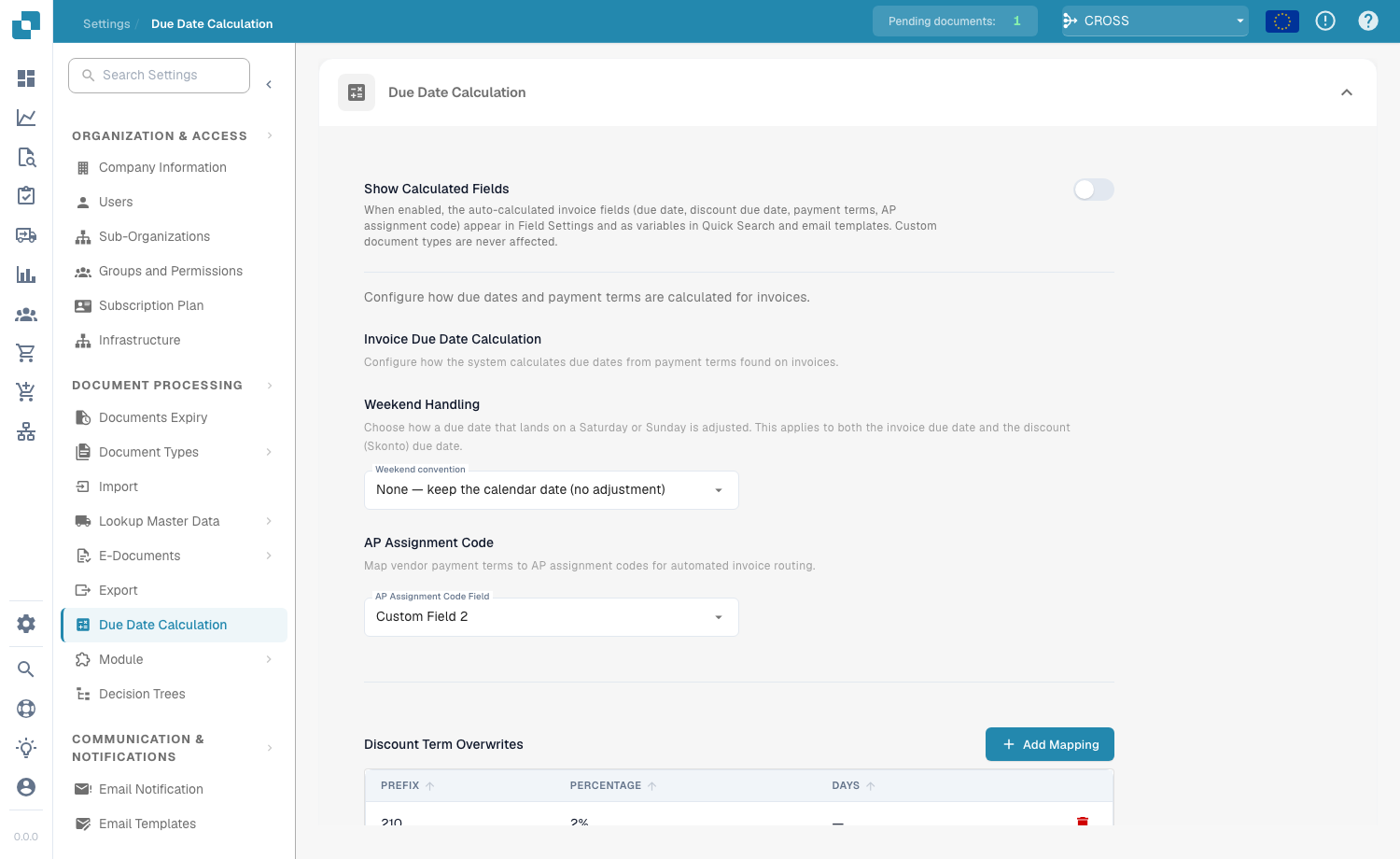
Due Date Calculation settings
The **Due Date Calculation** page (**Document Processing → Due Date Calculation**) controls how DocBits computes invoice due dates, discount (Skonto) due dates and payment terms from the payment-term codes found on invoices.
## Show Calculated Fields
Enable **Show Calculated Fields** to make the auto-calculated invoice fields — due date, discount due date, payment terms and AP assignment code — appear in Field Settings and as variables in Quick Search and email templates. Custom document types are never affected.
## Invoice Due Date Calculation
### Weekend Handling
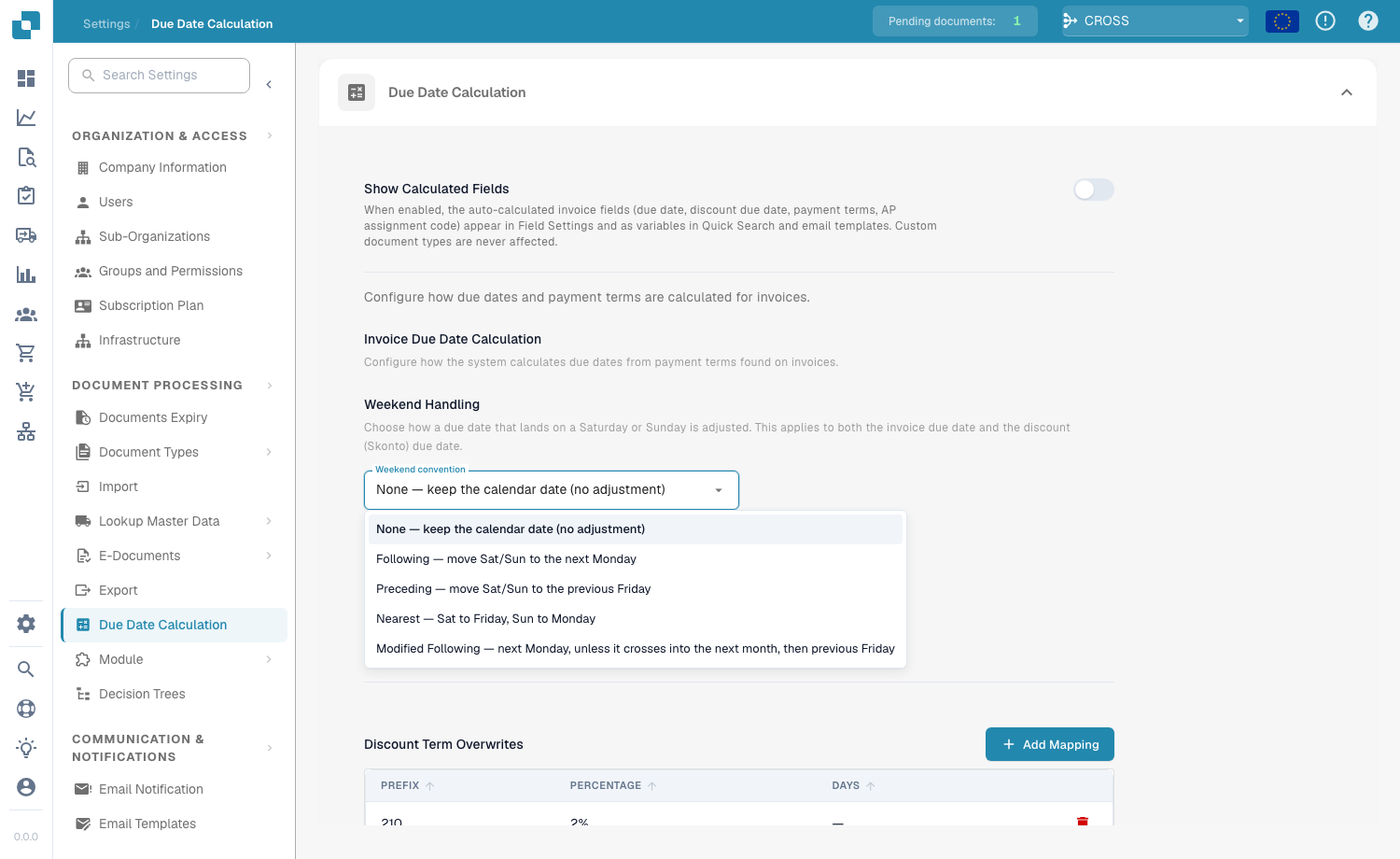
Weekend convention options
Choose how a due date that lands on a Saturday or Sunday is adjusted. This applies to **both** the invoice due date and the discount (Skonto) due date.
| Convention | Effect |
| ---------------------- | ------------------------------------------------------------------------- |
| **None** | Keep the calendar date (no adjustment). |
| **Following** | Move Sat/Sun to the next Monday. |
| **Preceding** | Move Sat/Sun to the previous Friday. |
| **Nearest** | Saturday → Friday, Sunday → Monday. |
| **Modified Following** | Next Monday, unless it crosses into the next month, then previous Friday. |
### AP Assignment Code
Map vendor payment terms to AP assignment codes for automated invoice routing by choosing the **AP Assignment Code Field**.
## Discount Term Overwrites
Discount term overwrites
Use **Discount Term Overwrites** to map a specific prefix to a discount percentage and a number of days. Click **+ Add Mapping** to add a row with **Prefix**, **Percentage** and **Days**.
## Supported formats
Supported payment-term and discount formats
DocBits recognises the following payment-term and discount-term codes.
**Supported Payment Term Formats**
| Format | Example | Meaning |
| ---------- | ------------------- | ---------------------- |
| Infor M3 | `N90`, `N30` | Net 90 / 30 days |
| Infor M3 | `NET` | Due on receipt |
| Infor M3 | `M20` | 20th of next month |
| Infor M3 | `E15` | End of month + 15 days |
| Infor LN | `030`, `30` | Net 30 days |
| Reversed | `14N`, `30N` | Net 14 / 30 days |
| Text Codes | `REC`, `DUE`, `COD` | Due on receipt |
**Discount Term Format** — discount terms encode early-payment discounts as 3-digit codes: the first digit is the discount percentage, the last two are the days within which to pay.
| Code | Meaning |
| ----- | ---------------------------------- |
| `210` | 2% discount if paid within 10 days |
| `130` | 1% discount if paid within 30 days |
| `545` | 5% discount if paid within 45 days |
| `0` | No discount |
---
# Agent Instructions
This documentation is published with GitBook. GitBook is the documentation platform designed so that both humans and AI agents can read, navigate, and reason over technical content effectively. Learn more at gitbook.com.
## Querying This Documentation
If you need additional information that is not directly available in this page, you can query the documentation dynamically by asking a question.
Perform an HTTP GET request on the current page URL with the `ask` query parameter, and the optional `goal` query parameter:
```
GET https://docs.docbits.com/administration-and-setup/settings/document-processing/due-date-calculation.md?ask=&goal=
```
`ask` is the immediate question: it should be specific, self-contained, and written in natural language.
`goal` is optional and describes the broader end goal you are ultimately trying to accomplish on behalf of the user. GitBook uses it to tailor the answer towards what is most useful for that goal.
The response will contain a direct answer to the question and relevant excerpts and sources from the documentation.
Use this mechanism when the answer is not explicitly present in the current page, you need clarification or additional context, or you want to retrieve related documentation sections.